With workplaces taking their project management and administrative workflows to the cloud, tools like Wrike and Asana have never been higher in demand. Collaborative freedom, boundless communication, real-time monitoring, flexible customization, and strategic planning, both tools offer features to serve the same objectives, yet bring a slightly different approach to the game. Asana peaks as the face of the traditional project management environment. While Wrike claims worth in its freedom and scalability.
If you are at the threshold of upgrading your workspace with these two options in hand and don’t know which one to pick and why, you must get a few things straight first. One, both Wrike and Asana have a long line of subscribers to validate each tool’s strength. And so, it’s best if you make some time, sit with a notebook, and mark the actual functionalities, promises, and nuances for yourself.
This article has already done some parts of your investigation and presented the findings clearly across its micro-sections. You will find unbiased takes on the merits and shortcomings, and clearly described criteria to draw a thorough comparison.
Solidify Your Options: Why Even Consider Wrike and Asana?
Project management in this ever-dynamic workplace culture has reached beyond common perception. Trending technologies, routing for personalized experience, are addressing situation and necessity-inspired demands and bringing a new tool every day.
Picking the right one, especially when there are literally hundreds of them, is easier when you consult a detailed project management software comparison to see how alternative variants with the same features truly stack up.
For example, if you are a business running through a physical or virtual office, a mere project management platform solves only a small part of your responsibilities. Dedicated solutions like TaskFino, which ranks among the best software for office management, provide a better resolution, allowing full operations of a Human Resource Management (HRMS), asset distribution, and financial tracking system. An edge that you are unlikely to get with a solo project planning device.
Wrike Vs Asana: A Quick Glance
If you still think of Wrike and Asana as your only go-to, let’s build your knowledge base on them. Carefully look at what special areas of your concern they cover. Be curious and meticulous while pointing out the struggles they mitigate and the measures they take. It will work as a staircase toward an even deeper evaluation.
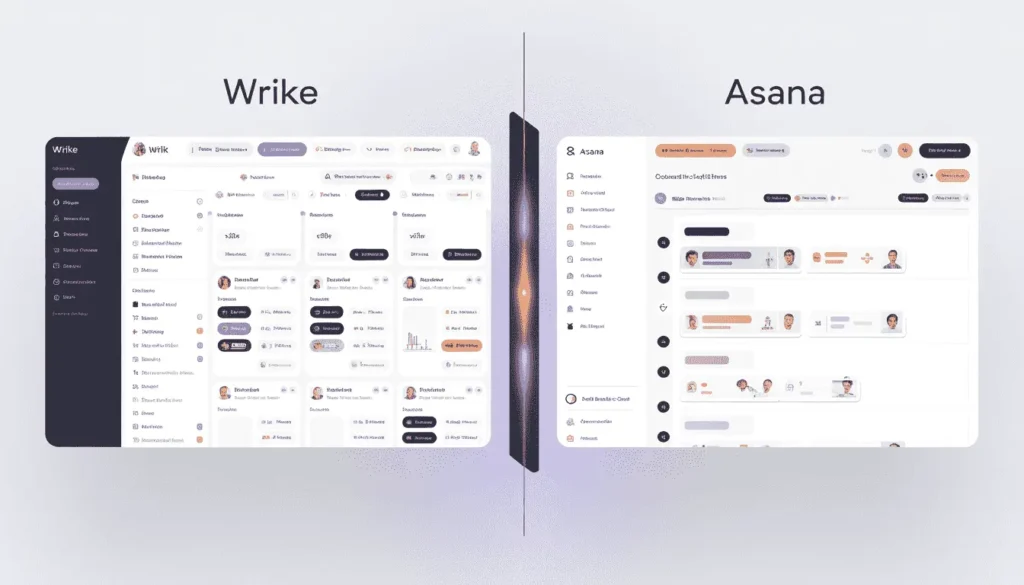
Here is a quick table that outlines summary details of both platforms by juxtaposing layouts. You will get aspects in which they differ from one another.
| Key Parameters | Wrike | Asana |
| Value Proposition (Why to Use) | A broad dashboard for small to large business projects that need scaling over time | Easy onboarding with a complete range of project design and navigation instruments |
| Target Users | Teams that manage multi-industry projects and don’t follow a single template | Businesses with a specific workflow or operative funnel with a static intent |
| Primary Features |
|
|
| Automation | Beyond basic, suggests and creates project timelines on a brief | Simple, helps with navigation and basic troubleshooting |
| Visual Layout | Breathable and minimal outlook, keeping things to a minimum on every window | Compact, yet not stingy, offering multi-pane views for sub-tasks |
| Integrations | Compatible with around 200 third-party tools | Wide integrations; can sync with over 400 external add-ons |
| User Experience | Sweat users with a tedious learning curve. To make it data-and utility-heavy, focuses less on the overall experience | Rapidly drifting from the old versions through frequent upgrades, inviting enterprises. However, it remains lighter and more intuitive than many other Asana alternatives currently on the market. |
| Scalability | Unequaled expansion capacity, matching large enterprise visions for radical but smooth upscaling; Unlikely to get in any other alternatives to Wrike | Gradually readjusting the lens for bigger companies. Best suits medium-sized business stability |
| Best For | Corporation giants with infinite tentacles to simultaneously tackle unlimited projects with minute precision | Promising businesses pushing the borderline from within the stagnation of the mid-sized pool |
| Pricing | Starts at $10 per month per user | Starts at $10.99 per month per user |
Wrike vs. Asana: User Interface and Experience
The front that your employees start their days looking at. It’s also the place they remain signed in the entire day. When eye comfort, filtered search, task switching, analytics, and clarity are still deemed as the qualities of a good UI. Logically, the notion shifts with big companies, seeking more control over their tasks and data.
Wrike
It may not appear at first glance, but Wrike is a blank canvas with a comprehensive palette of features and widgets that users can play with as much as their creative brain allows. The thing about the first look is that it almost always intimidates new users. As
- Wrike’s approach is of an all-rounder, so you don’t run short of options and face no limitations as you create tasks. Existing sub-tasks can contain additional layers of sub-tasks, favoring beyond margin segmentation
- Such a high level of control requires from users more than just getting familiar with the interface. They need to learn task modeling and making reusable project templates. So the learning curve is more exhausting than usual
- Progress tracking is automated and passed to all analytics without manual placeholder filling. To make the experience this data-centered, Wrike interface grows staffed with time
Asana
Asana is what you imagine and know as a standard, user-friendly interface. Stronger texts, wider white space, and minimized data create a visual resonance soothing to the eyes and brain.
Task progression follows a linear track, defaulting to the Asana workspace. It narrows down the scope of sub-tasking, labeling, and assignee parameters, so adapting to the platform takes less time.
Wrike vs. Asana: Feature Comparison
A lot deviates when it comes to the features you will get in both applications. Wrike is one of the most feature-rich project managers, resembling ClickUp in extent. While Asana’s flex unrolls across its span of strategies to keep it as task-focused as possible. Let’s delve deeper into that difference:
Wrike
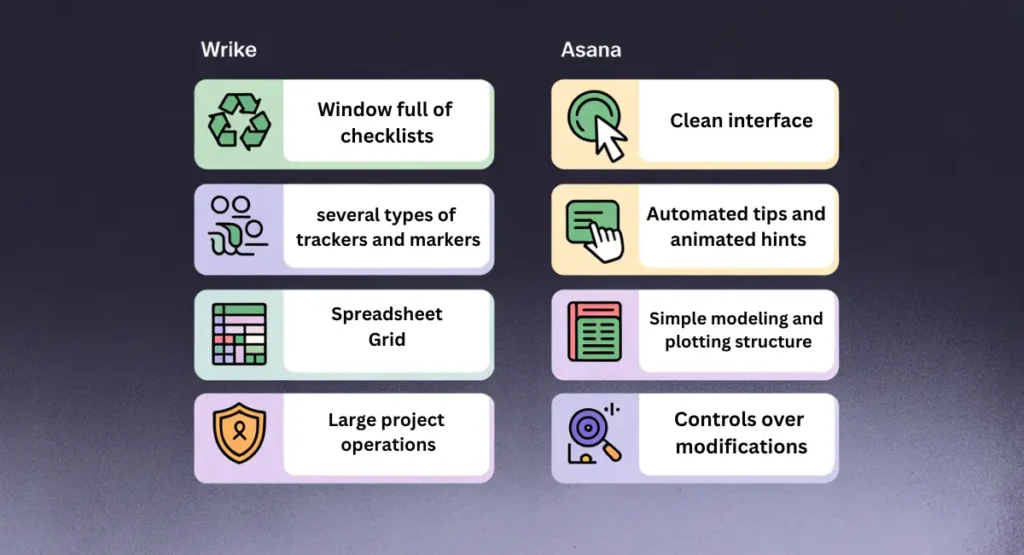
The Add Task button pops up a window full of checklists, labels, and text boxes for detailing. This rigorous attention to subtleties is to send users into a trance state, making them feel in control.
Wrike aligns its monitoring and analysis system with the expectations of a massive workforce. You will get several types of trackers and markers to comb through archives, locate a specific task fragment, and check its status.
Wrike scales rapidly on the heaps of sequenced tasks users can generate with no restraint. Centralized on large project operations and manipulations, the platform relies on integrations for supportive features, like in-platform chatting. It’s compatible with nearly 400 auxiliary widgets.
Asana
Asana fills the gap in Wrike’s display that looks crammed with complex features and visual elements. A clean interface expands with an evident marking system. Signing in, you won’t feel left. Automated tips and animated hints will lead you through a kick-off introduction. Along the course, its key scaffolding reveals itself.
One thing that sets Asana apart from its alikes is its simple modeling and plotting structure. You assign a single task and learn about the assessment module, and that’s it. Everything else is just its recurring version with a few small tweaks here and there.
This ease rewards a collaborative workspace, allowing controls over upgrades and modifications made by assigned executives. From creating, formatting, proofing, and editing, the whole production rail becomes parallel and synchronized.
There is an in-built AI assistant, but it struggles with advanced queries. If you want to locate certain files or tasks, need suggestions for surveys and logistics, or need tips and best practices on the platform for maximum productivity, it helps. Asana also lets you widen its boundaries through integrations. Around 200 unique apps and add-ons can blend into its system.
Asana vs. Wrike: Practical Implementation
Features are simply a few arrays of tools that come in little help if you don’t know their real applications. From design to configuration, how a platform arranges its set of utilities defines how it aims to serve users. But as a crucial resource, how companies will implement these tools in real business entirely depends on their unique strategies for tackling day-to-day operations.
Wrike
Through and through, Wrike is an all-inclusive organizational work environment. The task register form is like a thorough investigation into the user’s plan and desired end results. What seems like complex logic modules at first glance is actually the gateway to automating the following phases. To hint, imagine Wrike dividing the project into accessible folder categories along the span of an optimal timeline based on the instructions given. You get a scheduled prototype without even asking for it.
If you want to describe Wrike in a single word, it would be customization. Even the graphs and charts are a round-up of flexible editing features. You can choose the data representation formats you find helpful for connecting dots and probing patterns. The same is true with adjusting a progressing project. The ingrained AI takes notes of all tweaks and pinches, reads the intent behind, and notifies associates about mismatches well ahead of time.
The convenience of Wrike’s highly personalizable work environment covers the proofing, reviewing, and closing formalities, too. Nothing on Wrike is static except the workspace hierarchy. Folders are shareable among hundreds of collaborators without risking the project skeleton. Reports can be shaped with unique formulas, and finalized deliverables can be extracted in over 30 formats, including video, audio, and pdf.
Asana
Asana’s trademark is its care for its users. It stays honest to its promise as a project management system by culling unnecessary features that slip from the primary objectives.
You will barely find anything innovative or cutting-edge. All parts and peripherals come in basic designs you have already seen and worked with somewhere else. The only difference is that, in Asana, they are positioned and presented just where you will need them.
Once you feel rested in the instant familiarity, knowing that minor mistakes won’t damage the overall progress and that you can recover even if things fall apart, it creates a sense of edge.
Asana’s lack of customizability can raise complaints. But it’s not something you will regret, as optimizing grant charts and Kanban leaves out merely a little compared to what is already possible.
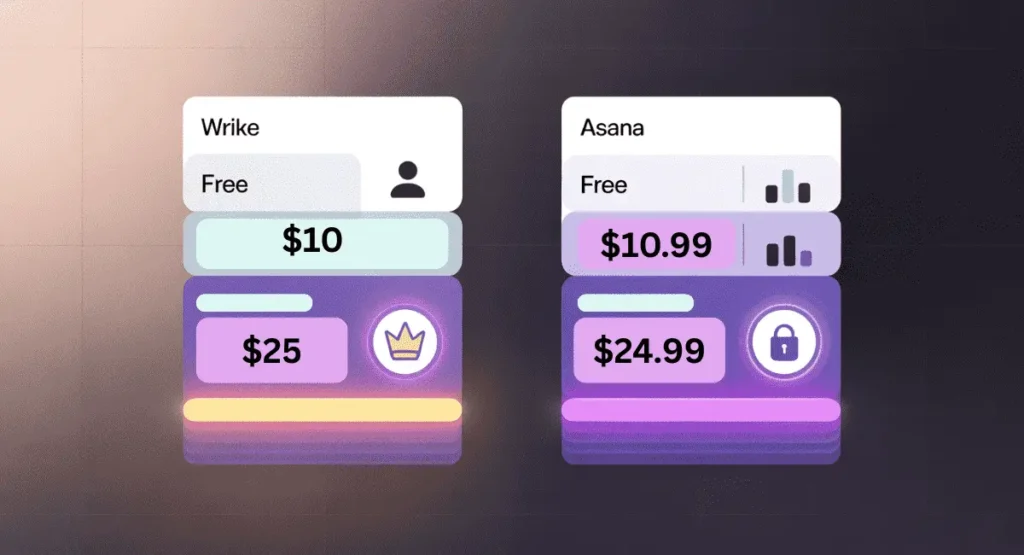
Wrike vs Asana: Pricing Structure
Both platforms have free tiers to affirm users with their choices. Features are kept at minimum in free subscriptions, but sufficient to get a hands-on. Individuals with narrow dependencies can manage small projects with the free plans if they can compromise advanced analytics, trackers, and reports.
You will find the prices almost the same for opposing plans of two platforms, but Wrike seems to roll out at a wider length in terms of features. Regardless, you should prioritize more on your goals and judge the functionalities if they place rightly into them.
Wrike
Wrike’s free plan reveals almost nothing of its real power, yet allows unlimited seats.
$10/month for a seat makes dashboard shareable and collaboration possible for teams of 2 to 15 members.
At $25, you receive the master key to all its features until your team scales to 200 members.
Asana
The free subscription has room for 10 users and offers up to 3 project views and a few reporting options.
$10.99/month uncovers the dashboard to its fullest and adds detailing to reports, but doesn’t extend viewing capacity
At $24.99, you get the fourth viewing option, as well as reach advanced features
Making a Choice Between Wrike vs Asana
The decision lies on parameters like your business size, number of responsibilities, work model, demanded security, and restrictions on the task flow.
Wrike
Enterprises often put efficiency and freedom over usability. They are willing to invest in training and preparing their human resources to have a stable and strong foundation.
Wrike perfectly syncs with their needs, being an all-out solution. It’s a bundle of diverse range of services and tools designed for an infinite number of arrangements.
Asana
Asana thrives when a company’s resources and assets are already sorted out, and all it needs is a keep for its projects that also shows the inventory lists, their conditions, and deadlines. At its most premium, it offers advanced security and regulated assignment options. Otherwise, the ease of use is what it promotes the most.
Everything about Asana suits small to medium-sized businesses that can use the convenience of quick onboarding. The evocative visual approach of Asana’s team has brought an enthusiastic appeal to its interface. In all the lively colors and animations, visual lovers will find a creative spirit to appreciate and an excuse to forgive the lack of advanced features.
Wrapping Up
In a market continuously evolving through automation and cloud-based services, the rapid emergence of digital services is nothing unusual. But cutting through the crams is becoming more difficult as available options are racing to appear best by adapting to innovations and upgrading the existing ones. Wrike vs Asana is an argument that can’t be resolved by looking at their propositions or comparing their strengths. Instead, what you should figure out is which one will solve your problems and remain relevant in the long run. Because, switching a workplace management system in the middle of a running project will unearth issues you don’t want to face.
If you would like to explore more comparisons, please refer to these blogs:
FAQ
Can Wrike And Asana Work Together If Different Teams Use Different Tools?
All companies have departments with split responsibilities. So, using a combined breadth of tools often doesn’t have a way around. If not, you find a platform designed to cover the entire workforce, like TaskFino. When it comes to Wrike and Asana, they are built to do the same thing: to manage a project. And a split project management system signals a company’s lack of vision and failure to form a unified work trajectory. So, for no sake it’s advisable.
What Happens To My Data If I Need To Switch Between Platforms?
In an ideal world, all platforms come with an active backup system and allow straightforward data import/export. But in reality, it’s the last thing you can expect. Switching between tools means creating the whole system from scratch. You may save basic data in spreadsheet or document formats, but they won’t be integrable to the new environment.
Can Asana Handle Agile Sprints And Scrum Boards?
Scrum boards have always been a crucial element of an ideal project planning room. It’s where you fragment a project into small to-do steps, distribute story points, and arrange them in sequence, creating a visual roadmap. It helps with backlogs and follow-ups. Asana has been offering a similar system since its launch date. Which, over time, has become more robust, incorporating visual and utility upgrades.
Does Wrike Support Kanban Workflows Out Of The Box?
Kanban boards have gained popularity by letting users interact with the workflow in real-time. Task progression is divided into several columns, where each represents a specific status, including in-progress, done, delivered, and so on. Wrike’s Kanban is powerful as it stretches, allowing users to create additional columns and delete the default ones. It expands the horizon of the basic Kanban concept, providing creative freedom.
Can Wrike Replace A Basic CRM For Tracking Clients?
Wrike’s workflow follows a free branching system. From naming, organizing, to managing, you can play with an indefinite number of folders, link them to each other, and create a dedicated chain for all operations and resources. Just like what you see in a full-fledged CRM. While Wrike may suffice to build a temporary or mini CRM, the platform lacks a resourceful database for leads, a strong pipeline for sales, and an internal chatbox for communication. However, a second option lets you integrate a third-party CRM application.
Is Asana Suitable For Managing Editorial Calendars?
Among all features, Asana’s calendar stands out. It may seem like any ordinary ones you get on other websites like Asana, but its depth unfolds gradually. Besides the usuals, scheduling, tracking, and reminding assistance, it allows custom tagging, an option even the Kanban table lacks.