The aim behind inventing the internet was to contain the whole world within a single virtual space. The impact has gone far beyond that. Especially in the formal and professional workspace.
Worldwide, corporations are seemingly following a similar organizational pattern. Basic tasks can be categorized with common managerial roles involving human resources, accounts, assets, communications, projects, and consumers.
Companies are now on the lookout for sustainable solutions that can help them achieve the highest level of efficiency in these aspects. That’s where project management tools like Jira come in. But there is a catch.
Despite the wide range of offline and online project management software available, no single tool can cover every need perfectly. Each software offers distinct advantages. For instance, TaskFino is tailored to serve small to large organizations, while Jira and many other tools are primarily designed to support individuals and teams.
What will suit you the most? Let’s find out in this review on the 10 best Jira competitors and alternatives in 2026
What is Jira?
Jira is Atlassian’s project management software that started life in 2002 as a bug-tracking tool. Today, over 65,000 companies use it to manage everything from software development to marketing campaigns.
Think of Jira as a digital workspace where teams break down big projects into smaller tasks, assign them to people, and track progress. It’s built around the idea of “issues”—which could be bugs to fix, features to build, or tasks to complete.
Who uses Jira?
Software development teams love it because Jira speaks their language—sprints, backlogs, story points, and burndown charts. But lately, marketing teams, HR departments, and even legal teams have started using it.
Why did Jira become so popular?
Back in the 2000s, most project management happened in Excel sheets and email chains. Jira changed that by giving teams a single place to track work. It integrated with developer tools like GitHub and Bitbucket. It offered powerful customization options that let teams build their exact workflow.
For years, Jira was the default choice. If you worked in tech, you used Jira. Simple.
But here’s the problem:
Jira was built for a different era. Teams were smaller. Projects were simpler. Nobody was working from home full-time. The tool that felt powerful in 2010 now feels heavy and complicated in 2026.
That’s why you’re here, looking for alternatives.
How We Evaluated These Tools
To find the best Jira alternatives for 2026, we personally tested over 25 project management platforms. Here’s what we looked at:
Onboarding Speed: How long it takes someone without a technical background to create their first task. For context, Jira typically takes 2 to 3 weeks to master.
Pricing Scalability: We calculated what we call the “growth tax,” which is how much your costs jump when you go from 10 users to 50 users.
Feature Completeness: We identified which tools include Gantt charts, time tracking, and AI features right out of the box, without needing expensive third-party plugins.
Agile Support: We assessed how well each tool handles Sprints, Backlogs, and Kanban boards when compared to Jira’s specialized environment.
Quick Comparison: All 10 Alternatives at a Glance
Before we dive into details, here’s how these tools stack up:
| Tool | Best For | Starting Price | Free Plan | User Limit | Learning Curve | Mobile App |
| TaskFino | Office management | $19.99/mo | ✘ | Up to 100 | Easy | ⭐⭐⭐⭐ |
| Asana | Non-technical teams | $10.99/user | ✔ | 10 users | Easy | ⭐⭐⭐⭐⭐ |
| Trello | Visual thinkers | $5/user | ✔ | Unlimited | Very Easy | ⭐⭐⭐⭐ |
| MS Project | Microsoft users | Incl. in 365 | ✘ | Varies | Medium | ⭐⭐⭐ |
| Monday | Growing companies | $9/user | ✔ | 2 users | Easy | ⭐⭐⭐⭐⭐ |
| Zendesk | Ticket-based work | $19/user | ✘ | Unlimited | Medium | ⭐⭐⭐⭐ |
| Backlog | Developer teams | $35/mo | ✔ | 10 users | Hard | ⭐⭐⭐ |
| Taskade | AI-powered work | Free | ✔ | Unlimited | Easy | ⭐⭐⭐⭐ |
| Notion | Flexible workspaces | $10/user | ✔ | Unlimited | Medium | ⭐⭐⭐⭐ |
| ProofHub | Unlimited users | $45/mo | ✘ | Unlimited | Medium | ⭐⭐⭐⭐ |
Key Takeaways from the Table:
Best Value for Scaling: TaskFino (flat rate) or ProofHub (unlimited users) are the most cost-effective as your team grows.
Best Free Plans: Taskade, Asana, and Trello offer the most robust features without requiring a credit card.
Easiest Onboarding: Trello, Asana, and Monday are designed for quick setup and high adoption rates.
Best for Specialized Teams: Backlog is tailored for developers, while Zendesk is the top choice for support-centric workflows.
Top Mobile Experience: Asana and Monday lead the pack with 5-star mobile app interfaces.
10 Best Jira Alternatives in 2026
So let’s get to the main topic without getting sidetracked by supportive discussions. Here are comparative remarks on the best Jira alternatives that we’ve curated based on the strength of their various features and purposes.
TaskFino: Best for All-in-One Office & Business Management
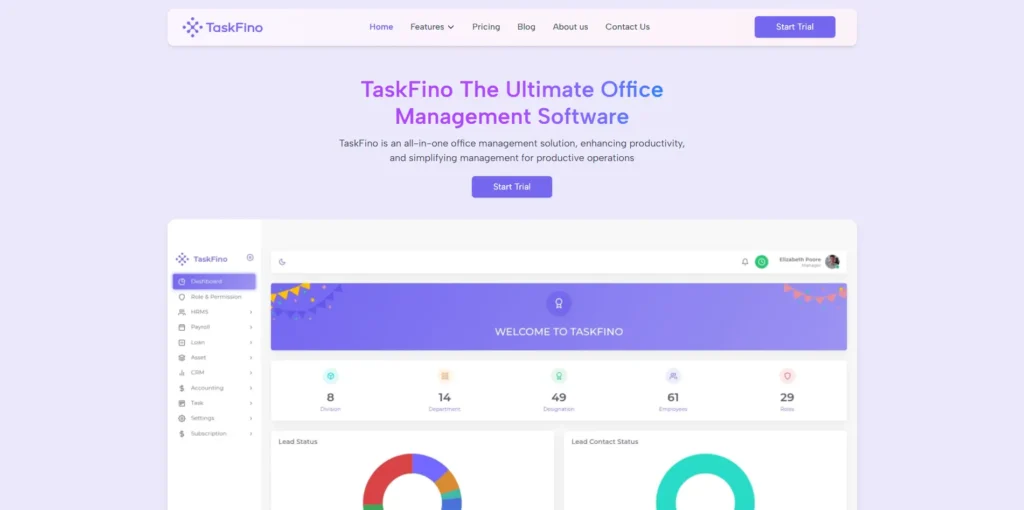
TaskFino, within a short period since its launch, has made it to the list of top office management tools. The application contains a string of features that allow businesses, offices, and teams of professionals to streamline every aspect of their daily operations. A quick overview of the application’s functionalities will surely vouch for its claim to be one of the best. TaskFino offers six separate organizational modules:
HRMS: Trims down the exhaustive tasks of human resource management, including onboarding paperwork, struggling over filing and storing employee data, recording leaves in terms of their types, and sharing notices.
Lead: TaskFino Lead ensures that you don’t lose a prospect due to negligence in storing their information and following up on meetings, emails, and other records.
Finance and Accounts: Approve transactions, store records, and analyze expenditure projections on a daily, monthly, and annual basis.
Asset: An all-inclusive directory to list down all the financial, physical, or abstract assets to track their condition, status, and replacement and repair history, to avoid unnecessary expense.
Loan: If your organization provides a loan facility to the employees, keeping track of its status and managing it in terms of installment types and hierarchy approval becomes effortless with TaskFino’s loan management system.
Payroll: Schedule and organize payroll in advance. Calculate and allot salary based on an employee’s work hours and additional factors like bonuses and commissions.
Key Features
One-stop Office/Business Management: Get all the requisite tools to manage everything there is to manage in your official setup.
AI Assistance: Leverage the latest innovation for better planning, organization, and execution
Advanced Tools: About 40+ advanced tools that go far beyond to meet your daily management obligations
Configurability and Shareability: Configure roles and responsibilities of employees, determine the value and priority of assets, and upload resources and data to share ubiquitously
Graphical Dashboard: Sign in to an interface crammed with visual and descriptive data representation elements, like charts, graphs, and bars, with summarized analysis info. Also find navigational elements, like menus, buttons, and links, that look minimal but abrupt in response
Clutter-free Management: Never get distracted from an interface crammed with information, feedback, replies, and notifications, when your project becomes overgrown
Cloud Hosting: Superfast cloud server not only ensures global access, but also provides reliability the ultimate security, and protection for your data
Pricing
Four attractive subscription plans:
Startup: $19.99 per month; Comprehensive access to up to 10 members
Growth: $39.99 per month; Users are scalable to up to 25 members
Scale: $69.99 per month; Can include up to 50 members with 24/7 supportability
Enterprise: $129.99 per month; Up to 100 users can access every service available
Pros
- Pricing is not based on headcount
- Highly team-focused environment
- An expansive set of management features
- Gets cheaper when billed annually
- 14 days of Free Trial
Cons
- The trial is time-constrained
- The custom domain is only available with the Enterprise Solution
- Not suited for individual use
What is Unique about TaskFino?
While it does not particularly fall under the category of a dedicated project management tool, TaskFino goes beyond by offering every tool necessary for managing a business. It strips away your need to use multiple tools to deal with different responsibilities within an office setup: human resources, accounts, finance, client profiling, and a lot more. TaskFino is literally the one tool that does them all.

Asana: Best for Creative and Marketing Agencies
Comprehensive features, simplicity, and consumer-centric designs are what make Asana distinctively recognizable among others. At its core, Asana uses a work-graph task model that fully captures the essence of a project’s fundamental characteristics: cross-functionality, variable perspectives, and resource shareability. So, users get a more agile work management solution.
Key Features
- Automated Drafting: Create a new task or update an existing one without wasting time on planning manually, as you have full access to automated planning and pattern recognition features
- Expertly Designed Templates: Find templates with a project model that is suited to your vision. Each template allows users to incorporate the best task management practices and strategies
- AI and Intellisense: Get help from the smart AI assistant at every step of a project’s lifecycle. The IntelliSense feature gives you short notes and guides on organizing your workflow
- Control over Access: Assign contributors, specifying their particular roles and responsibilities. Limit their access to a part of a project or a task to protect it from unwanted interference.
Pricing
Asana follows four pricing models:
Personal: Free of cost. Allows up to 10 team members to access most features
Starter: USD 10.99 per user per month. Offers premium features like Asana AI, unlimited users, custom fields, and more
Advanced: USD 24.99 per user per month. Offers the AI Studio with an annual subscription
Enterprise: Custom plan for large-scale businesses
Pros
- Suggestive dashboard and navigation
- Simplistic design and agile work management
- All-out integration capacity with little to no limitation
- Highly scalable catering to growing companies
Cons
- Over-the-clock support is given only to the Enterprise users
- Free users won’t get the Gantt chart view
- Both AI and Intelligence are available in paid plans
What is Unique about Asana?
Asana stands out in many ways. You can draw smart summaries, automate any status upgradation, replicate a workflow, and implement it in your current project with the help of predictive automation.
Trello: Best for Simple Visual Task Management
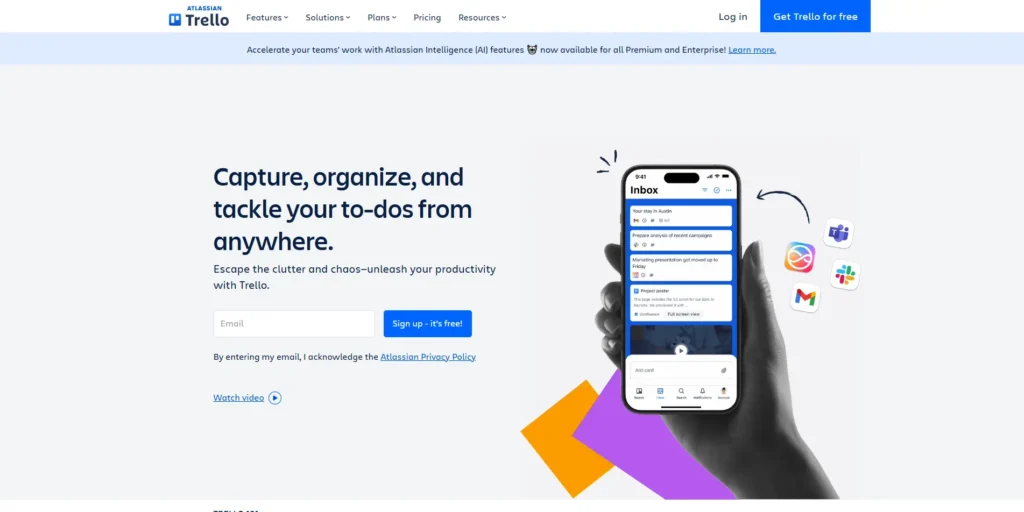
Trello has gained popularity since its beginning. The versatile application is one of the earliest among all. To put it more simply, the landscape of modern project management applications has largely been influenced by the design and functionalities that Trello introduced. However, the dynamic nature of the digital world has made Trello fall behind in the race, where more modern options lead.
Key Features
AI Butler: Streamlining how you manage tasks on Trello, Trello Butler, the platform’s own version of an automated assistant, suggests the simplest path to achieve your goal.
Intuitive Navigation: Though it may follow a steep learning curve, once you get the hang of it, traversing into the nooks and corners of the platform becomes visceral.
Graphical Workflow: Workflow analysis isn’t limited to a couple of common ways. Users get a full spectrum of charts, graphs, bars, and even a 3D graphical environment to have a bird-eye view of their project progression.
Unlimited Integration: About 218 applications await easy integration and enhance functionalities
Pricing
Users can run a test drive without paying a dime. Moreover, the free ride doesn’t limit users from getting the best features. At least not those that matter. It gives away unlimited cards, shareable to-dos, unlimited storage, chatbox, workspace commands, and so on. Premium features become available at a cost ranging from USD 5 to USD 17.50 per month.
Pros
- Conventional in features and navigation
- Holistic data and task view on the dashboard
- Highly manageable with essential tasks and time tracking ability
Cons
- The holistic dashboard view may seem cluttered with extensive task lists
- Card movements can’t be automated
- Subscription plans are comparatively pricier
What is Unique about Trello?
In addition to engaging users with its colourful dashboard, Trello offers an engaging community of existing users. It’s the perfect place to seek after troubleshoot.
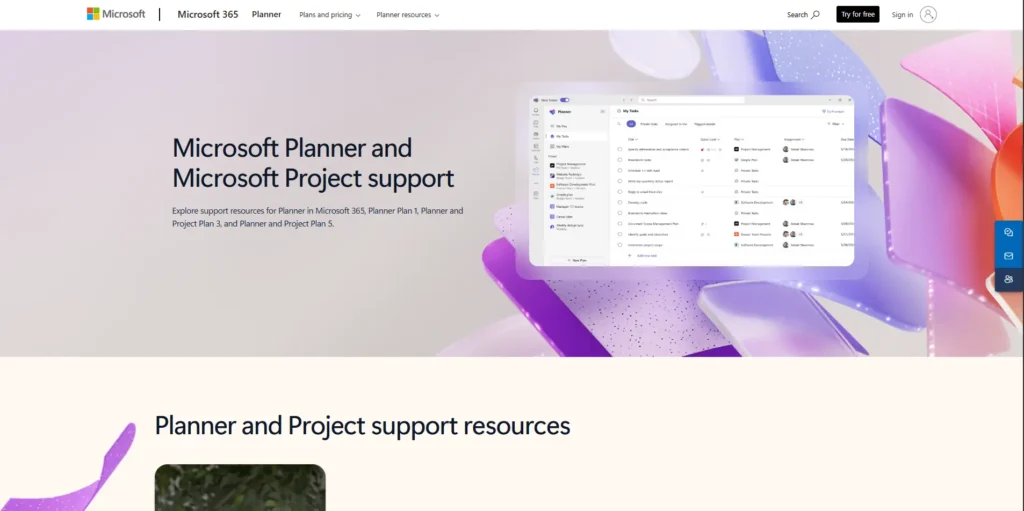
Microsoft Project: Best for Teams Deeply Integrated into the Microsoft 365 Ecosystem
Microsoft Project may not be the most resourceful task management application out there. But it is certainly among the most organized. Served on cloud networks, Microsoft Project extends into a fast and secure management environment. The application has been a rejoice for simplicity lovers, who want a clean interface, without compromising robustness.
Key Features
- Pristine Dashboard: You won’t find a single useless element on the interface. The colors and arrangements all harmonize to create an eye-soothing visual experience
- Native Integration: Often considered a hindrance to productivity, but Microsoft Project only allows integration of its native Microsoft 365 apps
- Streamline Navigation: All primary and assisting menu options, buttons, and links create an easily traversable, interconnected web
- Tracking and Scheduling: You can weave your tasks with a traceable thread to ensure an organized workflow. It also features advanced scheduling options, promoting prioritization, efficiency, and contextual contingency
Pros
- Familiar workspace for Microsoft 365 users
- Quick look field in the project sheet allows easy task monitoring
- Minimal design, while lacking essential and advanced features
Cons
- Non-Microsoft products are not integrable
- The design seems static, with no regard for dynamic management
What is Unique about Microsoft Project?
You should go for Microsoft Project when a brief, clean, and transparent organization and management of tasks are what you value the most. If you are a comfortable user of Microsoft Suite applications, Microsoft Project will strike you as the most reasonable choice.
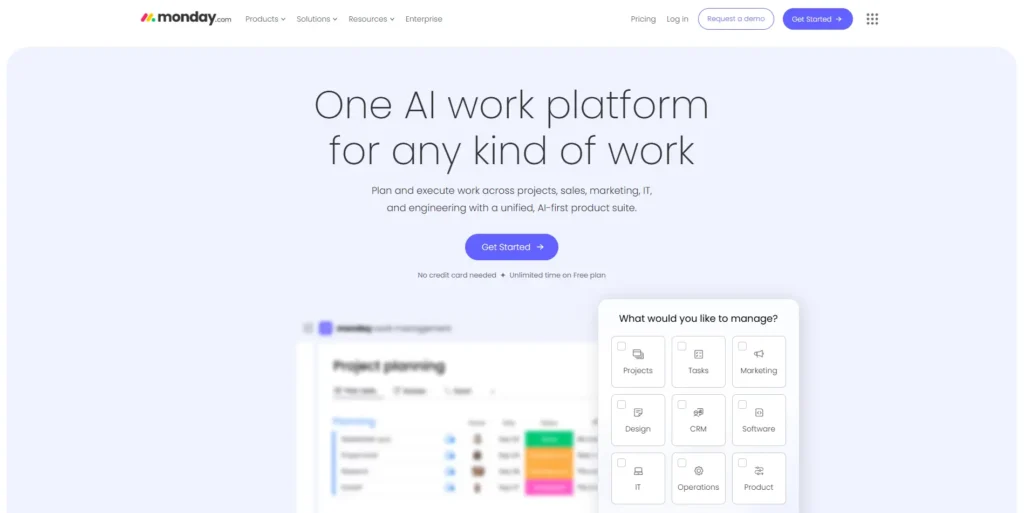
Monday.com: Best for Fast-Growing Teams and Stakeholder Visibility
Monday falls under the latest and most modern categories of project management solutions. Its robustness comes from its highly customizable and collaborative environment. By adopting almost every innovative way to manage a workflow, Monday is changing the idea of how we should manage projects.
Key Features
Power of Integration: Merge your project with other platforms like ClickUp with Zapier. Create tasks in one platform and have them mirrored in the other. It offers unlimited scalability and freedom.
Centralized Organization: Regardless of the type, size, or design of your project, collect and organize all its subsidiary tasks and parts into a single place
No-code Operations: Make the most out of smart features and functionalities without learning or writing a single line of code
Pricing
Monday’s pricing list includes:
Free: 2-person access to manage and track their daily work progress
Basic: $9 per person per month. 5GB storage and 500 AI credits.
Standard: $12 per persona al mese. Included Gantt and Timeline views. More AI-focused.
Pro: $19 per persona al mese. Private board, time tracking, and formula column become available.
Enterprise: Custom pricing. Large-scale operation. Multi-level permissions.
Pros
- All-inclusive, feature-rich management system
- Integration goes beyond widgets
- Exemplary customer support
Cons
- Scarce AI assistance
- Less efficacy in running AI scripts
- Costlier than older alternatives
What is Unique about Monday.com?
Monday’s greatest power lies in its ability to achieve full system integration. It’s like collaborating with two or more user groups from a single channel. Beyond this, Monday, being one of the most contemporary, offers a plethora of state-of-the-art features.
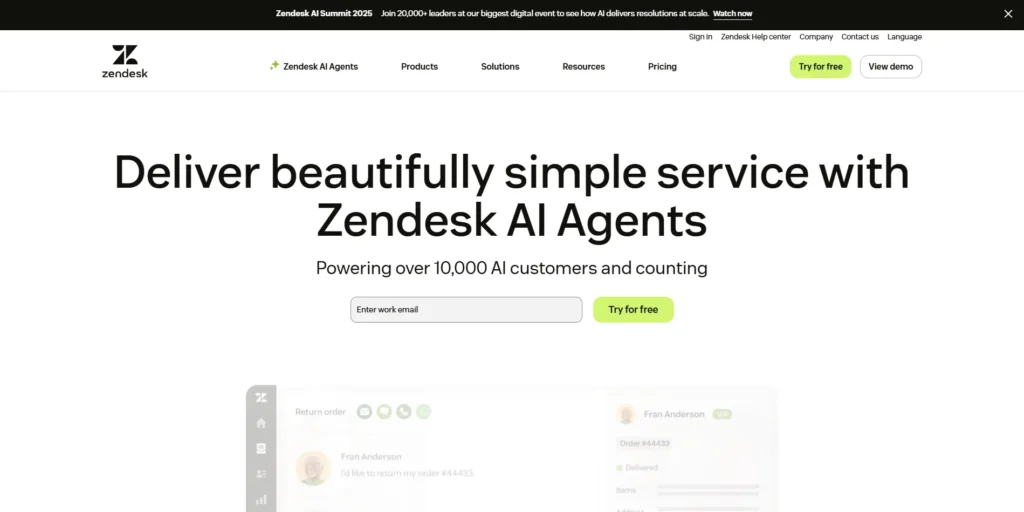
Zendesk: Best for Support-Centric and Ticket-Based Workflows
Living up to its name, Zendesk provides a one-stop desk or work management solution. From planning, creating, and scaling tasks to their completion and reporting, Zendesk serves you with all the essential tools. Think of it as a customizable workstation that doesn’t cost extra money for additional enhancements.
Key Features
Meticulous Incident Management: Categorization of your tasks is not limited to a few pre-determined options. Get full freedom in creating, naming, prioritizing, assigning, tracking, documenting, and everything you can execute to manage work as you want.
Omnichannel Tracking: Track tasks and their assignees to identify agents’ behaviour, productivity rate, hourly and diurnal contribution, switches between channels, and engagement analysis, like productive hours and more.
Automated Guidelines: Not only tasks, find automation empowering how you scale, share, and manage resources on the platform. Get suggestions for executions, feedback for responses, and coordination for navigations.
Pricing
The pricing plans of Zendesk are rather simple, categorized into four subscription models:
Support Team: $19 per person per month. Email supporting, 1000+ integrations, routing, triggers, and action insights.
Suit Team: $55 per person per month. Entry point for automated features, like AI agents and generative replies.
Suit Professional: $115 per persona per mese. Tickets can be closed in collaboration with other members. CSAT insights are more refined.
Suit Enterprise: Custom pricing. Sandbox testing field. Custom permissions to control access.
Pros
- Special focus on tracking and ticketing systems
- Designed for large-scale operations
- Multi-navigational channels
Cons
- Learning curve is steep
- With all the boards, comments, and replies open, the interface may seem cluttered
- The free trial lasts for only 14 days
What is Unique about Zendesk?
Zendesk is all about efficiency. Its unique ticketing system lets users have trackable troubleshooting and debugging options. Among other functionalities, automated assistance and CSAT insights are remarkable.
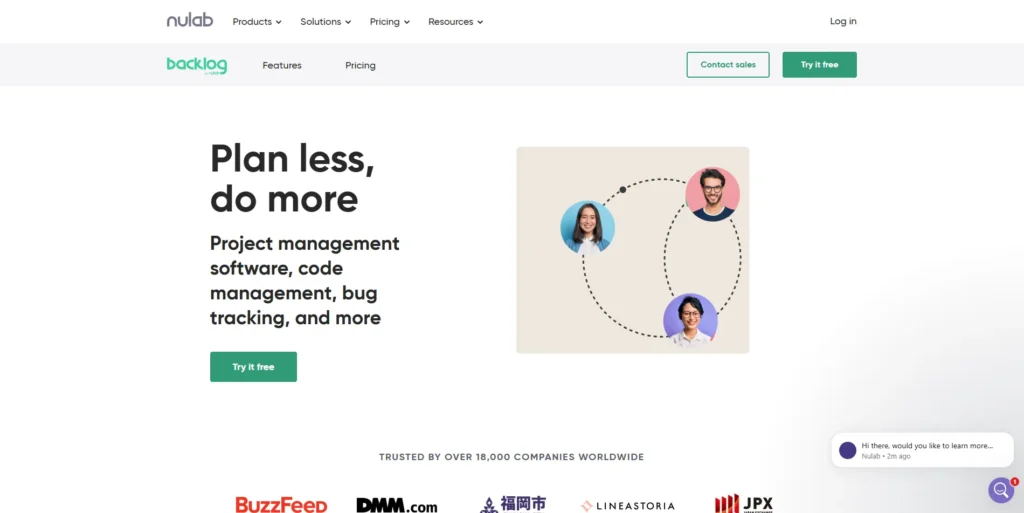
Backlog: Best for Software Development and Integrated Code Management
Backlog is the perfect suit for teams of software developers or other creative professionals. The platform comes with its own code repository and also supports Git and Subversion code management. Adding more to the efficiency of code and task management, it also lets users see and commit real-time code changes. Nothing can make creative professionals rejoice more.
Key Features
Effortless Notification: Refer responsible personnel in commit messages to notify them about the next step
Gantt Charts: Expose your development phases to the power of Gantt Charts to get visual data on their current status
Emails to Charts: Place the data from an email directly on a chart to understand and analyse their relations
Secured Management: Codes and materials produced by creatives are intellectual property. Protect them with Backlog’s strict access control features
Pricing
Backlog divides its services into four distinct service models:
Free: Basic management accessible by a maximum of 10 members
Starter: $35 per month. Access for 30 members.
Standard: $100 per month. Unlimited accessibility with all the premium services available.
Premium: $175 per month. Large-scale operations.
Pros
- Scheduled task management
- Quick email conversion
- Secured and trackable repository system
Cons
- Requires technical knowledge
- Total absence of automated features
- Special user-group-centric design and functionalities
What is Unique about Backlog?
Backlog targets software developer teams and creative individuals like writers who need trackability to get back to a portion of their works that need revising, editing, debugging, and ultimately committing the change without affecting the project holistically.

Taskade: Best for AI-Powered Workflow Automation
Though often overlooked, Taskade has recently brought modern upgrades, further investing in its functionalities. The platform now has a full spectrum of AI features. A diverse set of AI agents that can be trained for complex tasks and execute them relentlessly without needing a break. However, what makes Taskade a remarkable alternative to Jira is its full-scale collaborative management framework. From handling minute, short-lived task fractions to coordinating between large chunks, with Taskade, task management has never been so detail-oriented.
Key Features
Instant Demo: Have a simulated management environment to delve deep into how Taskade works and what is possible with it.
Productivity Platform: Go far beyond basic work management features and get an application that claims to be a productivity platform, centralising tasks, communication, and collaboration.
Vast Integration Capacity: Expand possibilities by integrating over 200 apps, including version controllers, like GitHub and GitLab.
AI Assistance: Generate ideas with the blink of an eye, just by prompting your AI assistant about your end goal.
Pricing
Like most alternatives, Taskade comes in four pricing plans:
Free: Maybe the only platform that provides an AI project Studio, AI agents, and cross-platform access, costing nothing
Pro: $10 per month. Unlimited agents and automations. Web-scraper, Search, and AI Utilities.
Team: $50 per month. Custom tools and workflows, and advanced team permissions.
Custom: Custom pricing, AI models, integrations, and accessibility.
Pros
- Strategy mapping with an AI assistant
- Custom database creation with CRUD functionalities
- Hundreds of SOP templates covering numerous industries
Cons
- Works best for linear workflows
- Complex tables and databases are not easily operable
What is Unique about Taskade?
Taskade should be your ultimate choice if you want a work management system fully optimized with AI agents and automation. Even the free plan offers a range of AI functionalities. But on Taskade, you will stumble when the task flow gets unusually complicated.
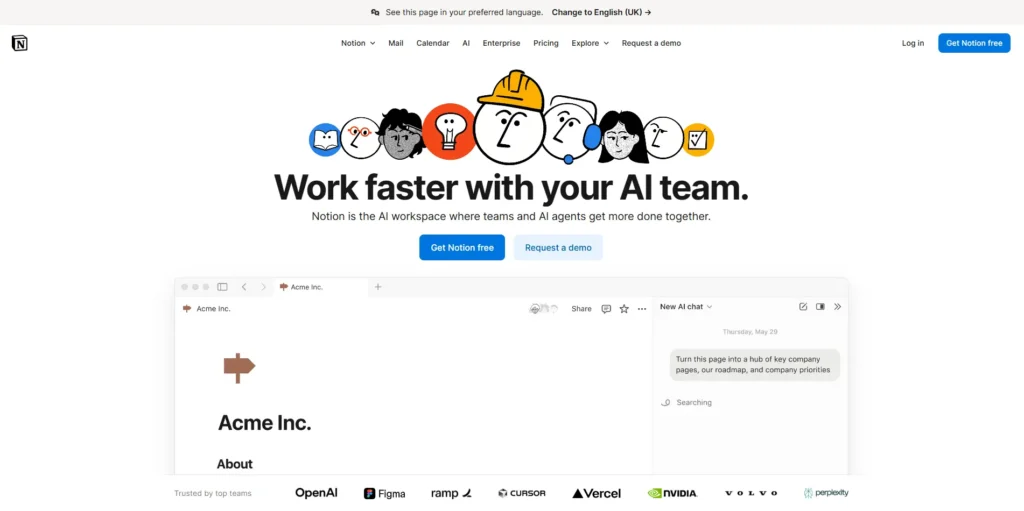
Notion: Best for Flexible Collaborative Workspaces and Knowledge Bases
Notion, with its enormous customizable power, gives users the freedom to use the app for numerous purposes, and one in particular is task management. Anyone familiar with such managerial responsibilities knows how multifaceted such activities can be in nature, priority, and subtlety. And Notion is among the tiny fraction of tools that gives a playground and options letting users be as creative and versatile as possible while managing their lives, work, goals, habits, and everything.
Key Features
User-Generated Templates: Create templates and layouts for routine and patterned tasks and save them for later use. You can also share them with other Notion users, just like you can get thousands of such templates created by other users.
Collaborative Fields: On a shared ground, no limit is set for accessing a file, document, or resource. Updating everyone about recent and instant changes, notifying on essentials, and giving feedback on a task are effortless on the platform.
Notion AI: Summarize large data within seconds and get valuable insights, choose from suggestive action items to autofill documents, shape ideas into followable and executable strategies with the AI assistance brought in by Notion AI.
Formattable Documents: From checklists, bullet points, to highlighted subheadings, there is no shortage of formatting options to organize your documents and reach the highest efficacy level.
Pricing
Four unique price plans that include:
Free: Individual usage with elemental access, like basic form creation, site building, schedulable calendars, and mail synced with Gmail.
Plus: $10 per user per month. Uploads, creative elements, charts, and other basic resources pose no restrictions. Forms and sites become customizable.
Business: $20 per user per month. Executions get more technical and streamlined with SAML SSO, conditional logic for forms, and premium integrations.
Enterprise: Custom pricing. Disburses advanced options, like user SCIM provisioning, regulatory bindings, complex integrations, and more.
Pros
- Maximum flexibility and freedom in creating, ordering, sharing, and documenting
- Visceral navigation
- Strong community base
- Integrable with the most popular platforms
Cons
- Security and restriction models are found only in the Enterprise solution
- Collaboration is off-limits in the free plan
What is Unique about Notion?
Notion is unique in all aspects of its executional features. There are only a few platforms that can match Notion’s flexibility and user-centric operational model.
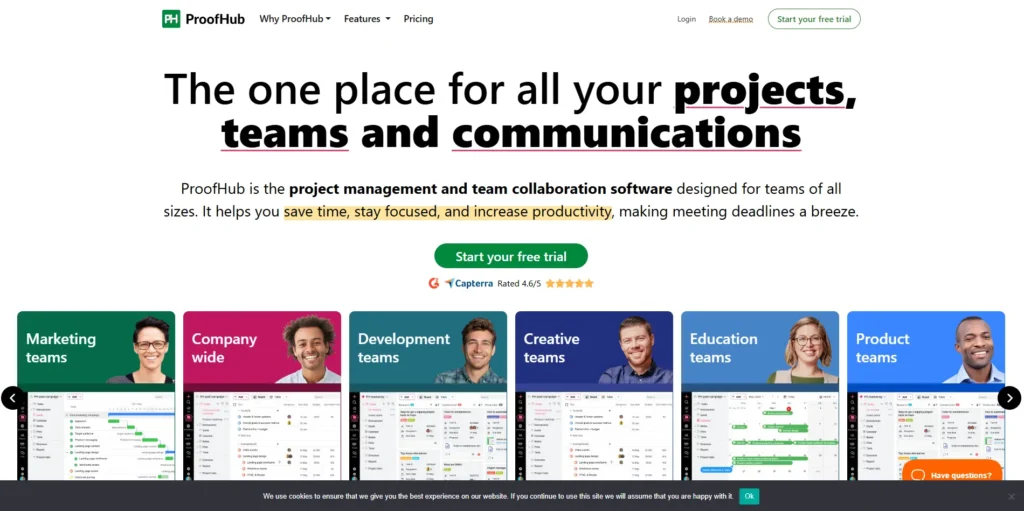
ProofHub: Best for Growing Teams Needing Predictable Flat-Rate Pricing
ProofHub has all the features to make this list of Jira alternatives. Its on-platform chatbox is something not available in Jira by default. Among other features, trackable task lists, timesheets make quite a difference. But the one feature that truly lifts ProofHub up to its height of popularity is its Announcement board. It lets users create targeted announcements for passing information, demanding general attention.
Key Features
Interactive Announcement Board: Reply to every announcement, asking questions for clarity, suggesting ideas, and sharing feedback.
Multiperson Shareability: Create several versions of the same document and share it with multiple people to bring unique changes to each file.
Spreadsheet Inspired Tableview: Not only get a universal spreadsheet-like tableview. But interact with each field with options similar to those of MS Excel or Google Sheets.
In-depth Activity Log: Instant records of real-time history highlighting operational and structural transitions
Pricing
Segmented into two price ranges:
Essential: $45 per month. Comes with manageability of up to 40 projects, 15GB storage, and core features.
Unlimited Control: $89 per month. Unlimited projects, users, and 100GB of storage. Notable advanced features comprise custom roles, workflows, API access, data export, and priority support.
Pros
- All plans feature unlimited user access
- Widespan task view and modification
- Specialized design for conveying research and campaigns
Cons
- Fewer pricing models pose limitations on small teams
- Limited integration ability
What is Unique about ProofHub?
ProofHub has an undeniable appeal for offices and teams that need dynamic scalability. Its unlimited user access lets authorities be worry-free about new inclusions and exclusions.
How to Choose the Right Jira Alternative for Your Team
Don’t just pick the tool with the prettiest interface or the longest feature list. I’ve made that mistake. Here’s what actually matters:
Step 1: Know Your Team Size and Growth Plans
Different tools handle growth differently.
If you’re under 10 people:
Look for tools with generous free plans. Trello, Asana, and Taskade offer solid free versions that small teams can use indefinitely. Don’t overpay for features you won’t use.
If you’re 10-50 people:
This is where pricing models matter. Per-user pricing (like Jira) gets expensive fast. Flat-rate tools like TaskFino save money as you grow.
Do the math:
- Jira Standard for 30 people: $210/month
- TaskFino Growth for 25 people: $39.99/month
That’s $2,040 saved per year.
If you’re 50+ people:
You need enterprise features—advanced permissions, security controls, and dedicated support. Look at Monday Enterprise, Asana Enterprise, or Microsoft Project.
Step 2: Match Tool to Team Type
For software development teams:
You need Git integration, code review tools, and deployment tracking. Consider:
- Backlog (built-in code repository)
- Linear (made specifically for modern dev teams)
- Azure DevOps (if you’re already using Microsoft)
For creative teams (design, marketing, content):
You want visual workflows, easy file sharing, and simple interfaces. Look at:
- Asana (clean, visual, non-technical)
- Notion (ultimate flexibility)
- Monday (visual workflows)
For operations teams (HR, finance, admin):
You need forms, approvals, and automation. Check out:
- TaskFino (built for office management)
- Zendesk (ticket-based workflows)
- Monday (strong automation)
For mixed teams:
Most companies have developers, marketers AND operations. You need something flexible enough for everyone:
- Monday (adapts to any workflow)
- ClickUp (lots of view options)
- Asana (works for technical and non-technical users)
Step 3: Calculate Real Costs
Don’t just look at the monthly price. Add up:
Base subscription: $X per month
Required integrations: Some tools charge extra for Slack, GitHub, or Salesforce connections
Storage overages: Many tools limit file storage. Extra storage costs $5-20/month per 100GB
Advanced features: Gantt charts, time tracking, and custom fields often cost extra
Training time: How many hours will your team spend learning the tool? At $50/hour, that’s real money
Migration costs: Moving data from Jira isn’t free. Some tools charge for migration help
Example calculation for a 20-person team:
Tool A:
- Base: $15/user/month = $300
- Integration bundle: $50/month
- Extra storage: $20/month
Total: $370/month ($4,440/year)
Tool B:
- Flat rate: $69.99/month
- All integrations included
- 100GB of included storage
Total: $69.99/month ($839.88/year)
You’d save $3,600 per year with Tool B.
Step 4: Test With Real Work
Don’t trust free trials where you just click around. Run an actual project.
Here’s my testing method:
1. Day 1: Set up your workspace and invite 3-5 team members
2. Day 2-3: Create a real project with 20-30 tasks
3. Day 4-7: Use it for daily work. No fallback to your old tool
4. Day 8-10: Try advanced features—automation, reporting, integrations
5. Day 11-14: Gather team feedback. Count frustration moments
Red flags to watch for:
Team members keep asking “how do I…?” questions
You need to watch tutorials for basic tasks
- The mobile app is unusable
- Loading screens take more than 3 seconds
- You’re thinking, “We’ll just work around this.”
If you notice 3+ red flags, move on to the next tool.
Step 5: Check the Migration Process
Switching tools sounds exciting until you face migrating 500 tasks, 50 projects, and 2 years of history.
Before committing, ask:
– Does the tool import directly from Jira?
– Will task history and comments transfer?
– What about file attachments?
– Can you do a test migration before fully committing?
– Is migration support included or extra?
Tools like Monday and Asana offer free migration help. Others charge $500-2,000 for migration services.
Step 6: Think About Your Future Needs
Your tool should grow with you. Ask yourself:
In 6 months, Will we add new departments? Need new integrations?
In 1 year: Will we outgrow the current plan? What’s the upgrade cost?
In 2 years: Could we hit user limits or storage caps?
The worst time to switch tools is when you’re growing fast, and everyone’s busy.
Quick Decision Framework
Answer these five questions:
1. Team size? Under 10 / 10-50 / 50+
2. Team type? Developers / Creatives / Operations / Mixed
3. Budget? Under $50/month / $50-200/month / $200+/month
4. Technical skill? Low / Medium / High
5. Top priority? Price / Ease of use / Features / Integrations
Based on your answers, here’s where to start:
– Small team + Low budget + Easy tool needed = Trello or Asana Free
– Growing team + Mixed departments + Medium budget = TaskFino or Monday
– Dev team + High technical skill + Integrations needed = Linear or Backlog
– Large company + Enterprise needs + High budget = Monday Enterprise or Azure DevOps
Now let’s look at each alternative in detail.
Conclusion
The comparative line between the best Jira competitors and alternatives is drawn by a scrutinized analysis of their key characteristics: common and unique features, target consumers, future scalability, integration scopes, and experience. Even with its large fan base, tools like Jira struggle to be a scalable, 360-degree solution.
Modern alternatives, like TaskFino, Monday.com, Asana, and Notion, with their flexibility in use and user-driven approach, appeal to more serious use cases. If your search is for a workspace management application, with small to large professional organization-centric design, TaskFino must make the top of your preferred list of available options.
Compare a variety of companies and alternatives to find your ideal match:
- ClickUp vs Monday
- ClickUp Alternatives
- ProofHub Alternatives
- Skedda vs Othership
- Asana Alternatives
- Zoho Alternatives
- Jira Alternatives
- Monday Alternatives
- Basecamp Alternatives
- Airtable Alternatives
- Nifty vs Trello
- ClickUp and Basecamp Comparison
- Alternatives to Envoy
- Asana vs. Wrike
- Deskbird Alternatives
FAQs
What is the best alternative to Jira?
Linear leads for modern engineering teams, Taskfino excels for visual collaboration, ClickUp offers all-in-one functionality, and Asana works best for non-technical teams—your ideal choice depends on team size and workflow complexity.
Is Jira outdated?
Jira isn’t outdated but it feels less intuitive than newer competitors; it remains powerful for complex enterprise workflows, while smaller teams often prefer modern alternatives with simpler interfaces.
Can AI replace Jira?
AI won’t replace Jira but will enhance it by automating routine tasks like ticket generation and sprint predictions, while humans still handle strategic planning and decision-making.
Who is Atlassian’s biggest competitor?
Microsoft (via Azure DevOps and Microsoft 365) is Atlassian’s primary competitor, with Monday.com, Asana, GitLab, and Linear challenging different aspects of their product suite.