Your HR team wastes two full workdays every week hunting for files, a primary factor in addressing the root causes of exhaustion among personnel teams.
One new hire creates 50 documents scattered across emails, shared drives, and filing cabinets. Contracts get lost. Compliance forms disappear. Your team answers the same questions over and over.
HR document management changes everything.
It’s a digital system that organizes, stores, and retrieves every employee file in seconds. No more digging through folders or chasing paperwork.
This matters now more than ever. Remote work demands instant access from anywhere.
GDPR violations can result in fines up to €20 million or 4% of global annual turnover, with major penalties often exceeding €1 million according to enforcement records. HIPAA breaches run over $10 million.
Paper trails put your company at serious risk.
You’ll learn how to slash document retrieval from 15 minutes to 30 seconds. Discover why mid-sized companies save over $100,000 yearly.
See which features matter most and which workflows to automate first.
After helping hundreds of businesses digitize their HR operations through TaskFino’s integrated HRMS platform since 2024, we’ve seen teams reclaim strategic time previously lost to administrative chaos.
The pattern is clear: companies that digitize their HR documents provide managers with the necessary tools for HR burnout prevention, freeing their teams to focus on people rather than paperwork.
What Is HR Document Management?
HR document management is a digital system that organizes, stores, and retrieves every employee file from one secure location. Instead of shuffling through filing cabinets or searching dozens of folders, you type a name and pull up everything in seconds.
The system creates what experts call a “single source of truth.” Every document gets tagged with details like employee name, date, and document type.
Advanced scanning technology reads text inside PDFs and lets you search for exact phrases buried in contracts or forms.
Traditional filing wastes hours because physical cabinets force you to hunt manually through hundreds of pages, according to Ademero’s HR document management research. Digital systems eliminate this entirely.
Spreadsheets create version conflicts when multiple people edit simultaneously.
Digital systems scale without limits. You can store terabytes of files without buying servers or renting storage space.
Document Types HR Teams Manage
Employee records form the foundation. Over an employee’s career, you’ll accumulate 200-400 pages per worker, according to Ademero. Here’s what HR teams manage:
Employee Records:
- Offer letters and employment contracts
- Job applications and resumes
- Emergency contact information
- Disciplinary notes and corrective action forms
Compliance Documents:
- I-9 forms verifying work eligibility
- W-4 tax withholding forms
- EEO-1 diversity reports
- OSHA training logs and safety certifications
Performance Files:
- Annual performance reviews
- Goal sheets and objectives
- Feedback forms and one-on-one notes
- Training certificates and professional development records
Benefits and Payroll:
- Health plan enrollment forms
- 401(k) election documents
- Payslips and compensation records
- Insurance documentation and claims
Additional Records:
- Time-off requests and PTO tracking
- Promotion histories and title changes
- Intellectual property assignment agreements
Why This Matters in 2026
Remote work changed everything. Among knowledge workers, estimates suggest over 50% work either fully remotely or in a hybrid model in developed economies, according to Breeze.pm’s 2026 remote work statistics.
They need mobile access to documents, which filing cabinets can’t provide. Compliance requirements keep growing, such as:
- GDPR mandates data portability rights
- HIPAA demands encryption for health records
- FMLA requires precise leave tracking
- India’s new DPDP Act adds localization rules for data storage, further navigating the broader complexities of modern workforce administration.
Employees expect self-service now. Employees increasingly prefer self-service portals for document access, reducing HR dependency according to HR document management best practices.
Manual systems waste $3-5 per employee monthly on paper alone, plus significant administrative time.
AI automation and zero-trust security drive 2026’s biggest trends. Companies that stick with paper fall behind fast.
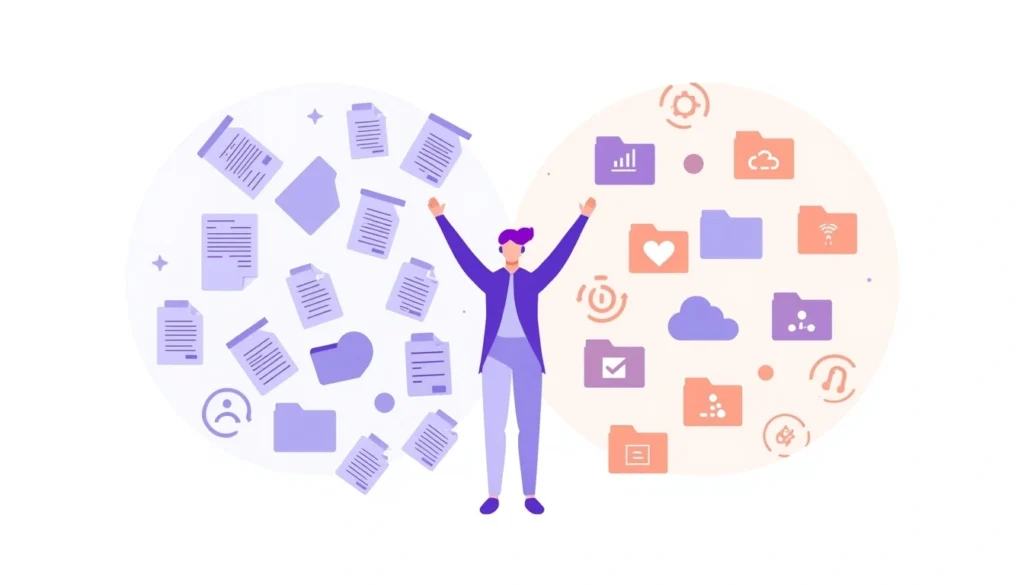
Why HR Document Management Systems Transform Your Workplace
HR document management systems deliver four game-changing benefits: lightning-fast processes, bulletproof security, employee empowerment, and substantial cost savings.
Here’s exactly what changes when you make the switch.
Speed Up Every HR Process
Centralized storage ends the email attachment nightmare.
Files stop bouncing between drives and inboxes. Advanced search technology lets you find any document among millions in under 30 seconds, compared to 15-minute manual searches.
Automated workflows eliminate approval bottlenecks. The system routes onboarding forms for electronic signatures automatically. It triggers offboarding checklists when someone resigns. Files archive themselves based on rules you set once.
TaskFino‘s workflow automation helps clients free up over 20 hours weekly by comparing the efficiency of digitized workflows against traditional hands-on methods and eliminating manual follow-ups.
Onboarding shrinks from weeks to days. Digital onboarding reduces time-to-productivity from weeks to days, enabling faster new-hire ramp-up.
Lock Down Security and Stay Compliant
Smart systems control who sees what:
- Managers view performance reviews but can’t access salary data
- HR sees everything
- Contractors get view-only access to relevant policies
Multiple layers protect your data:
- AES-256 encryption secures files on servers and during transmission
- Multi-factor authentication blocks 99.9% of unauthorized login attempts
- Audit trails create tamper-proof logs of every view, edit, and download
Automated retention schedules handle legal requirements without manual work. I-9 forms (work eligibility verification) stay exactly seven years, then the system deletes them automatically. You’ll get alerts when required documents go missing, so nothing slips through the cracks.
SOC2 Type II and ISO 27001 certifications prove your system can withstand attacks. HR handles highly sensitive employee data, making robust security essential for breach protection.
Audit preparation takes minutes instead of weeks. Automated compliance reporting helps avoid substantial HIPAA and FMLA penalties that can reach tens of thousands per violation.
Give Employees Control
Self-service portals let workers download W-2s, update beneficiary information, and sign policies from their phones. Self-service portals reduce HR dependency by enabling employee document access and highlighting the advantages of implementing web-based time-off requests.
Digital onboarding delivers personalized checklists. New hires see exactly what they need: laptop setup instructions, training module links, and form deadlines. This accelerates their ramp-up and builds trust from day one.
Remote and hybrid staff get 24/7 access from anywhere. No more “I’ll email that when I’m back in the office.” Transparency kills repetitive questions. Nobody asks “Where’s my form?” when they can check status anytime.
Save Serious Money
Paper costs $3-5 per employee monthly for printing and storage, reports Mewurk’s ROI analysis. Organizations save $100,000 annually on paper, printing, and storage costs for mid-sized firms (250 employees), according to MeWurk’s ROI analysis.
Mid-sized companies with 250 employees save over $100,000 yearly, according to Access Corp’s ROI research. These savings come from productivity gains, faster hiring, and avoided compliance penalties. Most organizations see ROI within 12-18 months.
Digital systems typically offer lower total ownership costs than legacy paper-based approaches
Essential Features Your System Must Have
The right HR document management system combines powerful search capabilities, military-grade security, and seamless integrations with your existing tools. Here’s what separates basic systems from ones that actually work.
Core Capabilities That Matter
Your system needs one place to store every HR document.
OCR scanning (optical character recognition – technology that converts images and PDFs into searchable text) reads the text inside PDFs and images so you can search what’s written, not just filenames.
The system tags each file automatically with the employee’s name, document type, and date.
Search works like Google for your files. Type any phrase and find it buried inside contracts or forms. Filter by date or document type to narrow results fast. AI understands plain English, so you can ask “show me all expired safety certifications” and get answers.
Electronic signatures need to be DocuSign-compliant to hold up legally.
Workflow automation moves documents through approval steps without you clicking forward each time. Version control saves every edit and lets you undo mistakes, notes Qandle’s features guide.
Security Features You Can’t Skip
Three security layers protect your data:
- Encryption safeguards files on servers and during transmission
- Multi-factor authentication stops unauthorized access cold
- Granular permissions give contractors view-only access while HR gets full control
Audit trails must be tamper-proof, logging every login, view, edit, and download with timestamps and user IDs. Look for SOC2 Type II or ISO 27001 certification as proof of security standards.
GDPR compliance requires data masking and breach notifications within 72 hours. These aren’t optional features anymore, according to DocumentScanning.AI’s regulatory analysis.
Integration Capabilities
Your document system should connect seamlessly to existing tools through APIs that link to HRMS platforms like Workday and BambooHR. Payroll integration with ADP auto-files pay stubs, while applicant tracking systems like Greenhouse automatically archive resumes.
Webhooks enable real-time updates between systems. Zapier support connects to over 5,000 apps without custom coding, and bi-directional sync prevents data silos while overcoming technical hurdles when syncing people data and financial systems to keep information current everywhere.
Critical Workflows to Automate Right Now
Automating recruitment, onboarding, records management, and offboarding eliminates repetitive tasks and slashes processing time by up to 50%. Here’s where automation delivers the biggest impact.
Streamline Recruitment
OCR technology (optical character recognition – technology that converts images and PDFs into searchable text) reads resumes and pulls candidate information into your applicant tracking system automatically.
Applications route to the right recruiters based on department and role, while the system keeps all communications and interview notes in one searchable place.
When you reject candidates, their applications are automatically deleted after legal retention periods end. Automated recruitment workflows streamline resume processing and candidate routing, saving significant sourcing time.
Transform Onboarding
Digital checklists kick in the moment someone accepts your offer.
Equipment gets provisioned, training modules launch, and new hires sign policies electronically before day one. They upload IDs and certifications, and the system verifies everything in real time.
Through TaskFino’s integrated onboarding module, we’ve watched companies accelerate new hire productivity by 50% by replacing scattered processes with automated workflows.
HR sees exactly where each new employee stands, and the system sends reminders for outstanding tasks so nothing falls through the cracks.
Manage Employee Records Proactively
Updates flow automatically across all connected systems.
Process a raise in payroll, and salary records are updated everywhere instantly. The system warns you 60 days before visas or certifications expire, giving you time to renew before deadlines hit.
Policy updates work the same way.
Push out a new handbook, and it reaches everyone at once. Employees sign acknowledgments electronically while the system tracks who’s read what. Annual performance review reminders trigger on schedule, helping managers avoid common oversights in tracking staff presence and time logs.
Handle Offboarding Cleanly
Mark someone as terminated, and exit forms route for signatures automatically.
Asset checklists ensure laptops and badges come back. Intellectual property transfers protect your company’s work, and final files lock immediately to prevent tampering.
COBRA notifications are sent on schedule. Clean offboarding prevents data leaks and keeps you legally compliant during every separation.
How to Implement Successfully
Smart implementation follows four phases: thorough planning, careful system selection, strategic rollout, and ongoing maintenance.
Skip any phase, and you’ll waste money or face user resistance.
Plan Before You Buy
Start by auditing what’s broken right now. Track how long your team spends searching for documents and identify compliance gaps. Survey HR staff, IT teams, and legal counsel to build your must-have features list.
While mid-sized implementations offer strong ROI, tailoring digital solutions for smaller enterprise requirements can also yield significant time savings and risk reduction.
Choose the Right Type of System
Cloud-based SaaS platforms offer high availability and automatic updates, outperforming on-premises systems for most organizations.
Pay close attention to user experience during demos because a clunky interface kills adoption. Check support SLAs and verify they guarantee fast response times.
Don’t just look at subscription fees when calculating costs. Most systems run $5-50 per user monthly, depending on features, but implementation, training, and data migration add significantly to first-year expenses, according to Tools for Humans’ software comparison.
Roll Out Strategically
Pilot the system with onboarding first because this high-volume workflow delivers quick wins that build momentum.
Train users through hands-on demos and short video tutorials that they can reference later. Create standardized naming conventions early—EmployeeID_DocType_Date works well and prevents chaos.
Enforce retention policies from day one.
When people resist the change, highlight specific time savings and the reduced frustration they’ll experience. Early adopters make the best champions for convincing skeptical colleagues, based on FactoHR’s implementation strategies.
Maintain for Long-Term Success
Run quarterly audits to catch drift from policies and procedures before it becomes a problem. Collect user feedback through quick surveys and fix pain points fast. Deploy security patches the day they’re released, and monitor storage capacity regularly as your company grows.
Choosing Your HR Document Management Solution
Popular systems serve different needs, but TaskFino stands out as a unified platform for end-to-end workforce coordination that eliminates the need for multiple tools.
Launched in 2024, TaskFino integrates HRMS, payroll, accounting, CRM, task management, and asset tracking into a single platform designed for businesses of all sizes.
TaskFino’s cloud-based approach delivers automatic updates and 99.9% uptime, making it ideal for startups and growing companies. The platform centralizes all documents while providing automated compensation and salary distribution tools to handle onboarding, attendance, and leave management.
Companies using TaskFino’s integrated HRMS have eliminated scattered processes and reduced administrative overhead significantly.
Demo your core workflows before committing. Check reviews from companies of your size in your industry to see how they’ve implemented the platform. Confirm security certifications and get transparent pricing with no hidden fees upfront.
Avoid systems without APIs that lock you into silos. Skip vendors with vague SLAs or poor support ratings. The wrong choice costs you months of lost productivity, which is why TaskFino’s comprehensive approach appeals to businesses tired of juggling multiple disconnected tools.
Stop Wasting Time on Paperwork
HR document management transforms chaos into efficiency. You’ll secure compliance, attract better talent, and save over $100,000 yearly while preparing for 2026’s AI-driven workplace.
Assess your gaps today. Demo the leading systems. Start digitizing your employee files. The paperwork nightmare ends when you decide it does.
Frequently Asked Questions
Why is proper HR document management important?
Proper HR document management prevents compliance violations, protects sensitive data, and saves massive amounts of time. Without it, teams waste 40% of their workweek searching for files instead of utilizing an integrated approach to managing personnel records and financial data.
What types of documents should HR manage?
HR should manage employee records, compliance documents, performance files, benefits enrollment, payroll records, and time-off requests. Each employee generates 200-400 pages over their career that need secure organization.
How long should HR documents be retained?
Retention periods vary by document type and regulation. I-9 forms require seven years. Tax records need seven years. Medical records under HIPAA require six years. Automated systems handle these requirements without manual tracking.
What are the benefits of digital HR document management systems?
Digital systems cut document retrieval from 15 minutes to 30 seconds, reduce administrative work by 60%, accelerate onboarding by 50-70%, and save mid-sized companies over $100,000 yearly through efficiency gains and avoided penalties.
How can organizations ensure HR document security and confidentiality?
Use AES-256 encryption, multi-factor authentication, role-based access controls, and tamper-proof audit trails. SOC2 Type II certification proves security standards. Automated compliance tools prevent human error that causes most breaches.
What should organizations consider when choosing an HR document management system?
Evaluate security certifications, integration capabilities with existing HRMS and payroll systems, user experience, total cost of ownership, and vendor support quality. Demo core workflows before committing and verify transparent pricing with no hidden fees.