
To successfully onboard remote staff, move away from traditional office paperwork and focus on a modern digital HR management solution that emphasizes clear communication and helps new hires feel part of the company culture.
James Kalp points out that 20% of staff turnover happens in the first 45 days, so making new hires feel welcome right away is crucial.
By utilizing a digital onboarding portal, setting clear Key Performance Indicators, and asynchronous communication, companies can achieve validated retention and productivity metrics.
When onboarding remote staff, you cannot rely on the office vibe. There are no water cooler chats or quick desk drop-ins to fix a problem.
Without a plan, your new hire will feel like an outsider looking in through a window.
The good news? It does not have to be this way.
This guide provides a comprehensive roadmap for managers to build trust and technical readiness from day one.
What Is Remote Onboarding, And Why Does It Matter?
Remote onboarding is the virtual process of integrating a new employee into a company without physical presence. This involves setting up automated salary and compensation structures, delivering hardware, and granting software access
It involves delivering hardware, granting software access, and introducing the company culture through video calls and digital documentation.
It matters because a structured start leads to higher employee engagement and long-term loyalty.
Consider it like a flight. If the takeoff is rocky, the passengers get nervous. If the takeoff is smooth, they trust the pilot for the rest of the journey. In the corporate world, onboarding remote staff is your takeoff.
Gallup’s industry data shows that organizations with a strong onboarding process improve new-hire productivity by over 70%.
While remote onboarding helps new hires settle in, a stronger approach uses the 5 C’s of Strategic Onboarding:
- Compliance: Cover the essential legal and policy requirements.
- Clarification: Make sure employees know exactly what their role involves and what’s expected of them.
- Culture: Help new hires understand what the organization stands for and where it’s headed.
- Connection: Give them chances to build relationships and find the support they’ll need.
- Check back: Set up regular feedback sessions and milestones to track how things are going.
This framework makes a real difference. Only 12% of employees think their company handles onboarding well, but people who go through a structured program are 58% more likely to stick around for three years or more. The numbers get even better when you look at performance: a good onboarding experience can increase productivity by 62% and improve retention by 50%
 .
.
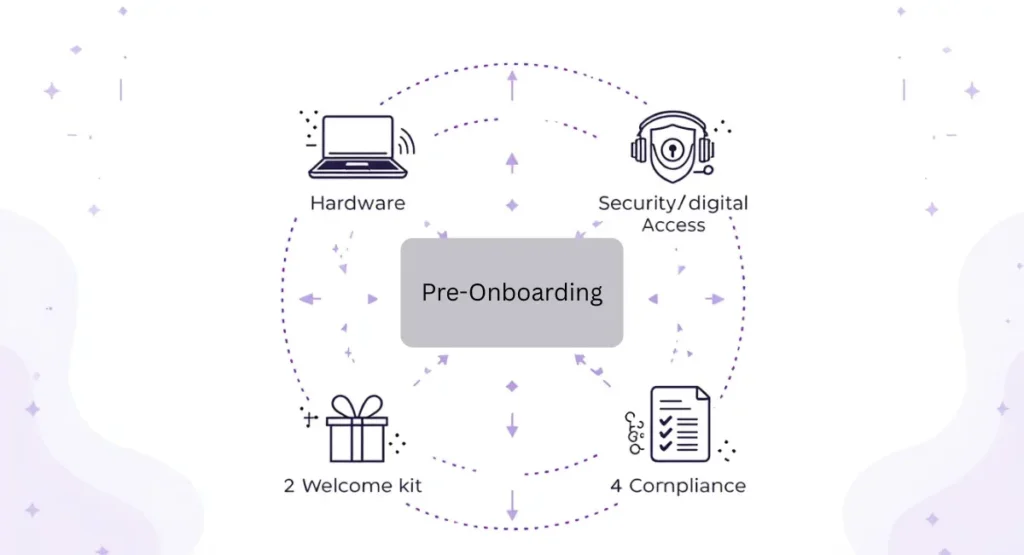
Pre-Onboarding: The Work Before the First Day
The biggest mistake managers make is waiting until Monday morning to start. If you want to succeed at onboarding remote staff, you must begin the week before. This phase is often called “pre-boarding.”
1. The Hardware Logistics
Nothing kills excitement like having no laptop. You must ensure that the workstation setup arrives at least two days before the start date. It gives the employee time to unbox and report any shipping damage.
2. Digital Access and Security
Create a user profile for every tool they will need. It includes:
- Email accounts and internal messaging apps.
- Project management software like TaskFino, Trello, Asana, or Jira.
- Cloud storage access for company handbooks and internal policies, which form the backbone of an effective digital employee file organization system.
- Virtual Private Network (VPN) credentials for data security.
3. The Welcome Kit
A physical package with a company t-shirt, notebook, or coffee mug goes a long way. It makes the digital job feel real and shows they are part of a team, even if working in pajamas. Using integrated workforce administration tools allows the Hiring Manager and HR to sync seamlessly on contracts and tax forms.
| Task Category | Item to Complete | Responsible Party |
| Technology | Ship the laptop and headset | IT Department |
| Documentation | Signed contract and tax forms | Human Resources |
| Connection | Schedule the first 1-on-1 meeting | Hiring Manager |
| Social | Assign an Onboarding Buddy | Team Lead |
4. Managing the Compliance Challenges
Remote onboarding brings its share of compliance headaches. If you’re hiring someone in Texas while you’re based in California, you need to register for local payroll taxes in their state before their first day. You also have to know the labor laws that apply there. California requires expense reimbursement within 30 days. Illinois has mandatory break periods. Each state has its own rules.
5. Reducing First-Day Nerves
Starting a remote job can make people anxious. They’re joining a team they’ve never met in person, often with equipment they haven’t seen yet. That’s why 83% of leading companies send hardware a few weeks early. It gives new hires time to unpack everything, set it up, and troubleshoot any issues before day one actually arrives.
How Do You Create a Digital Onboarding Portal?
To create a digital onboarding portal, review your current process. The benefits of transitioning from manual workflows to automation include fewer errors and a better first impression. Pick a good cloud platform, and design engaging content like videos and guides. Automate tasks, set up paths for different roles, and make sure new hires can access everything on their phones. Track their progress and ask for feedback to keep improving.
When onboarding remote staff, you cannot give them a 500-page printed manual. They will lose it or ignore it. Instead, build a digital home for them.
This portal should be the one place where new hires can find answers to questions about things like health insurance or self-service time-off requests. This way, you will get fewer quick questions in your inbox.
The Handbook-First Approach and Using Your Own Product
To help new hires figure things out on their own, adopt a handbook-first philosophy. Document every process in one central place that people can search and access anytime, day or night.
Also, have new hires use your company’s own product to complete their onboarding tasks. This approach (sometimes called dogfooding) builds their technical confidence through small wins while they’re still learning the ropes. They get familiar with what you build and how it works, which pays off once they’re fully up to speed.
Week One: Building Social Capital and Trust
In a physical office, you meet people in the kitchen. In a remote setup, those meetings must be intentional. You have to manufacture random encounters.
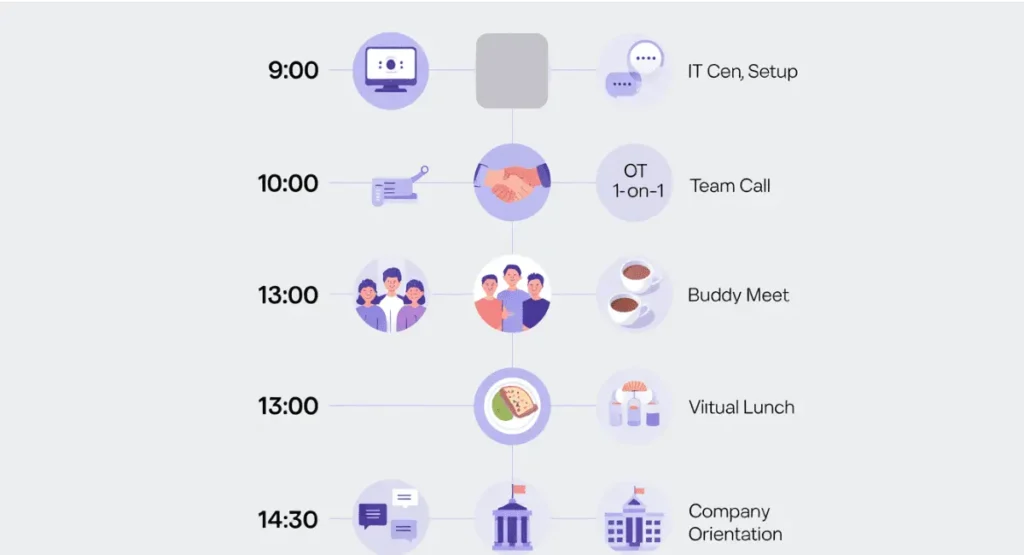
A 90-day roadmap matters, but the first day sets the tone for how comfortable a new hire will feel in the long term. Here’s a sample schedule for a remote employee’s first day that keeps them connected and supported:
9:00 – 10:00: IT Setup & Access Live session with IT to get VPN, MFA, and all necessary tools up and running.
10:00 – 10:30: 1-on-1 with Manager Quick check-in to set clear expectations and ease any first-day jitters.
10:30 – 11:00: Team Welcome Call A relaxed video session where everyone can put faces to names.
11:00 – 12:00: Buddy Meet & Greet Casual conversation with the peer who’ll be their go-to person.
13:00 – 14:00: Virtual Team Lunch Time to socialize without the pressure of work talk.
14:30 – 16:00: Company Orientation A thorough walkthrough of the company’s mission, values, and what you actually build.
The goal is simple: make sure no one spends their first day wondering if anyone remembers they started.
The Buddy System
Assign an Onboarding Buddy who is not the manager. This is a peer they can ask silly questions. Things like, “Is it okay to use emojis in this channel?” or “How long do people usually take for lunch?” Having a buddy reduces social isolation and builds immediate workplace relationships.
Shadow Meetings and Recognition
Help new hires understand how the company works by letting them sit in on meetings outside their department. If they’re in Engineering, invite them to observe a Marketing or Product meeting. They won’t need to participate; just watch how different teams work together and make decisions.
Recognition matters more than you might think, especially early on. New hires are four times more likely to start job hunting if they don’t feel appreciated. Don’t wait until the 90-day review to acknowledge what they’re doing well. When someone finishes their first training module or handles their first customer call, say something. A quick shoutout in Slack or your team channel goes a long way. Companies that do this see 56% less active job searching among new employees.
The Virtual Coffee
Schedule short, 15-minute video calls with key team members. These should not be about work. They should be about hobbies, pets, and life. This humanizes the icons on the screen.
How Can Managers Measure Success During Remote Onboarding?
Success is measured through milestone tracking and regular feedback loops. Instead of watching hours worked, managers should focus on output-based management. However, tracking remote work hours effectively is still necessary for compliance and payroll. Use a 30, 60, 90-day plan that outlines specific goals and performance metrics for the new hire to achieve at each stage.
When onboarding remote staff, you cannot see them working. This can lead to micromanagement, which kills morale. To avoid this, set clear expectations.
The 30-Day Goal: Learning
The first month is for absorbing information. Their goal should be to understand the product roadmap and the team workflow.
The 60-Day Goal: Contribution
By the second month, they should be able to handle small tasks independently. They should be active in collaborative tools and contribute ideas in meetings.
The 90-Day Goal: Ownership
By three months, they should own a specific project or process. This marks the end of the onboarding remote staff process and the start of regular employment.
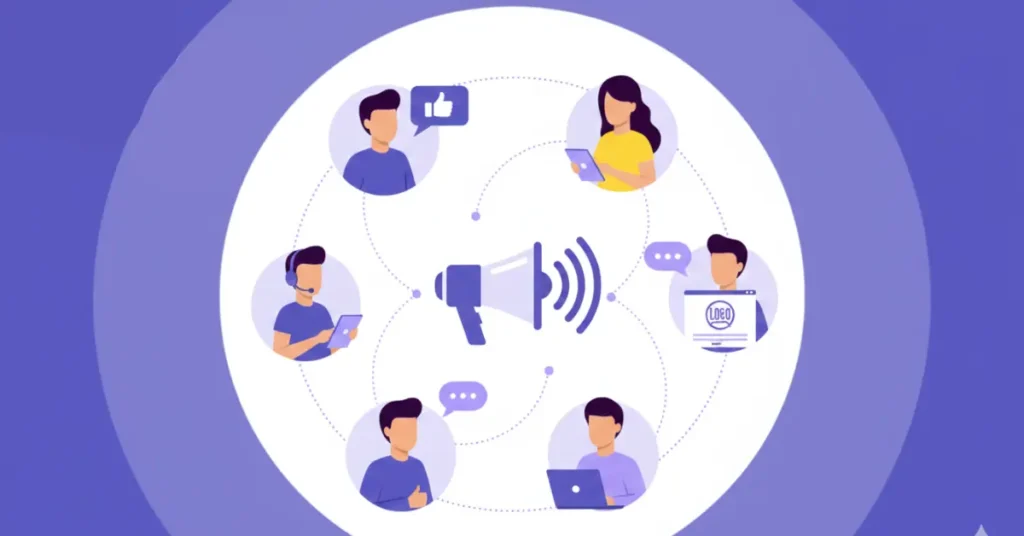
Growth as a Retention Tool
Don’t put professional development on hold until someone has been around for six months. Start it right away. 94% of employees say they’d stay longer at a company that invests in their growth from day one.
Build a growth plan into your first 90 days. Give new hires access to online courses or relevant certifications within their first few weeks. It shows you care about where they’re headed, not just what they can produce right now. That distinction matters more than most companies realize.
Communicating the Company Culture Digitally
Culture is not about free snacks or a pool table. Culture is how a team makes decisions and treats each other. When onboarding remote staff, you must be explicit about these unwritten rules.
- Communication Styles: Do you prefer long emails or short chat messages?
- Meeting Etiquette: Should cameras be on at all times? Is it okay to eat during a call?
- Transparency: How are mistakes handled? Is there a blameless post-mortem culture?
If you do not tell them how you work, they will guess, leading to many of the common hurdles in personnel management seen in distributed teams.
Clear Communication Agreements
Remote hires often worry about whether they’re visible enough or responsive enough. Managers can fix this by setting clear communication agreements upfront.
- Urgency Levels Spell out which tools require quick responses (like Slack) and which can wait (like email). This removes the guesswork.
- Core Hours Be specific about when employees need to be online and available. Don’t leave it vague.
- Asynchronous Workflows Show them how to use tools like Loom for screen recordings so they can share updates without scheduling another meeting.
When expectations are clear from the start, people spend less time second-guessing themselves and more time actually working.
Deliver Onboarding in Multiple Formats
People absorb information in different ways. If you want your onboarding to actually stick, offer materials in several formats.
For visual and audio learners, record video messages and set up interactive webinars. Just be careful not to pack the schedule with too many live video sessions or you’ll wear people out.
Some people learn better by doing. Turn your training modules into something more interactive where new hires earn points or small rewards as they complete each section. It makes the process feel less like homework.
And don’t force everything into scheduled calls. Give people access to digital handbooks or your company wiki so they can go through material when it makes sense for them. Some need time to read, process, and come back with questions instead of trying to keep up in real time.
Interactive Activities and Breaking Up the Monotony
Video calls get exhausting fast. Keep digital materials interactive to fight fatigue and help information stick. Research shows interactive activities work about six times better for retention than reading static text.
Here are a few ways to do it:
- Intranet Scavenger Hunts Ask new hires to track down specific company policies or information in your portal. It gets them familiar with where things live.
- Icebreaker Games and Polls Use these during video sessions to help people connect and feel more comfortable with each other.
- Micro-Learning Quizzes Offer small rewards for finishing training modules ahead of schedule. It adds a bit of motivation without feeling forced.
The goal is to keep people engaged instead of passively clicking through slides.
Overcoming the Technical Hurdles
Remote work relies entirely on the internet and software. Solving data synchronization issues between your different platforms ensures the new hire doesn’t face login errors on Day 1.
Home Office Stipends
Many companies provide a small budget for a high-quality chair or a second monitor. This is an investment in ergonomics and long-term health.
A comfortable employee is a productive employee.
Cyber Security Training
Working from home introduces risks. You must provide training on:
- Identifying phishing attacks.
- Using multi-factor authentication.
- Keeping the home network secure.
IT and Identity Security for Remote Teams
A VPN alone won’t cut it for remote security. To avoid giving people more access than they need, IT teams should put solid identity security protocols in place:
Role-Based Access Control (RBAC) Match access privileges directly to job titles and what people actually do in their roles.
Least Privilege and Separation of Duties Give users only the data access their job requires. This limits risk if an account gets compromised.
Identity-Based Controls Require multi-factor authentication (MFA) and encrypt data on company devices, especially when they’re outside the office network.
The idea is straightforward: tighten access controls so security doesn’t rely on trust alone.
The Importance of Asynchronous Communication
Asynchronous communication refers to messages that do not require an immediate response.
This is vital for remote teams across different time zones. By encouraging staff to use recorded videos or detailed documents, you prevent Zoom fatigue and allow for deeper focus time.
One of the biggest complaints about remote work is having too many meetings. When you are onboarding remote staff, teach them how to work without constantly being on.
Show them how to use tools like Loom to record a screen share. This allows a team member in London to see what a team member in Dhaka is doing without both of them being awake at the same time.
It is the key to global workforce efficiency.
Common Pitfalls in Remote Onboarding
Avoid these mistakes to keep your retention rates high:
- The Information Dump: Do not send 20 emails on day one. Space out the learning.
- Ghosting the New Hire: Never let a day go by in the first week without a check-in call.
- Assuming They Know the Tech: Even tech-savvy people need to be shown how your specific company uses Slack or Zoom.
Skipping the “Why”: Tell them why the company exists, not just what their tasks are.
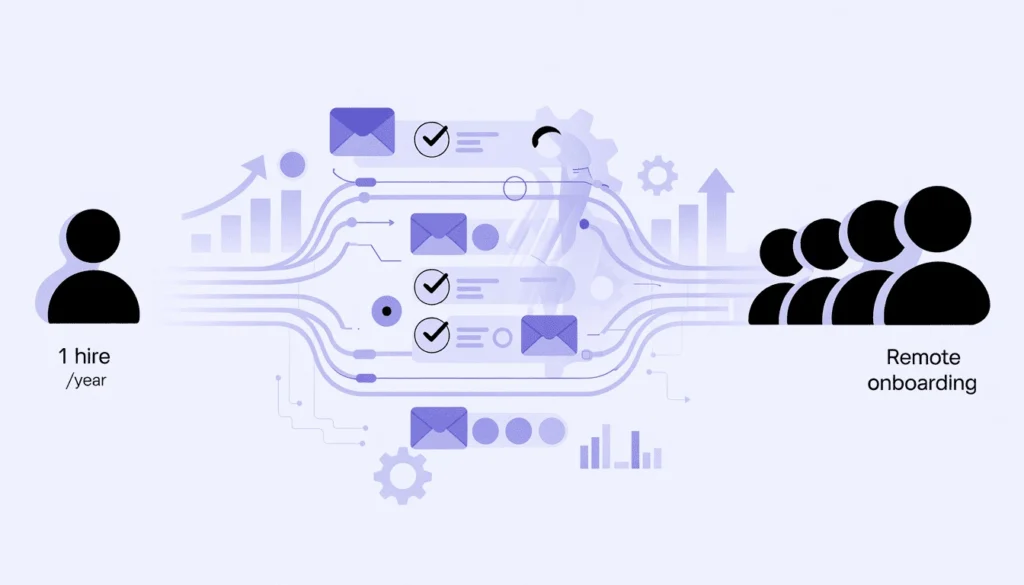
Scaling the Process for Growth
If you are a small startup, you might onboard one person a year. Utilizing scalable tools for smaller enterprises ensures you are ready when that pace accelerates.
Use automation where possible. You can set up automated email sequences that send “Day 1,” “Day 3,” and “Day 7” tips.
You can use a checkbox system so the new hire can track their own progress. This empowers them and takes the weight off the manager’s shoulders, which is essential for preventing leadership fatigue during rapid growth.
| Onboarding Phase | Focus Area | Key Metric |
| Week 1 | Connection & Tools | Tool login completion |
| Month 1 | Process & People | 1 on 1 feedback scores |
| Month 2 | Tasks & Output | First project completion |
| Month 3 | Integration & Independence | Peer review results |
The Human Element: Empathy in a Virtual World
At the end of the day, onboarding remote staff is about people. Behind every avatar is a human being who wants to do a good job.
They might be dealing with a crying baby in the background. They might feel lonely because they haven’t spoken to a person in real life all day. A little bit of empathy goes a long way.
Ask them how they are doing. Ask about their weekend. Celebrate their small wins.
When people feel seen, they work harder. However, maintaining this level of empathy requires managers to utilize proven frameworks for protecting mental energy so they don’t become just another statistic in a spreadsheet.”
Final Thoughts on Remote Integration
Building a remote team is like building a puzzle. Every piece is in a different location, but they all have to fit together perfectly.
The onboarding process for remote staff is the glue that holds the pieces together. It requires more effort than in-person onboarding, but the rewards are worth it.
You get access to the best talent in the world, not just the best talent in your city.
By focusing on clear communication, proper tech setup, and social connection, you can turn a distant stranger into a core team member.
Start today by reviewing your current checklist. Is it a welcoming experience, or is it just a list of chores?
People Often Ask
1. How can companies maintain their company culture when onboarding remote staff?
Maintaining culture without a physical office requires intentionality. Companies should move away from passive observation and toward explicit digital communication. This includes hosting “Virtual Coffees” to humanize team members, assigning a dedicated “Onboarding Buddy” for informal social guidance, and clearly documenting unwritten rules—such as meeting etiquette and messaging styles—in a central digital portal.
2. What are the most common mistakes to avoid during the remote onboarding process?
The most frequent pitfalls include the “Information Dump,” where a new hire is overwhelmed with dozens of emails on day one, and “Ghosting,” where a manager fails to check in daily during the first week. Additionally, assuming a new hire is familiar with your specific tech stack or skipping the “Why” (the company’s mission) can lead to early disengagement and higher turnover rates.
3. Why is a digital onboarding portal better than traditional paperwork for remote hires?
A digital onboarding portal acts as a “single source of truth” that a new hire can access 24/7. Unlike printed manuals, a digital home allows for automated task tracking, engaging video content, and easy updates. It reduces the administrative burden on HR and ensures that remote employees feel supported and organized, rather than like “an outsider looking in through a window.”
4. What essential hardware and software are needed for onboarding remote staff?
At a minimum, remote hires require a company-configured laptop and headset delivered before their start date. From a software perspective, they need secure access to internal messaging (Slack/Teams), project management tools (TaskFino/Jira), and a Virtual Private Network (VPN) for data security. Providing a home office stipend for ergonomic furniture is also a recommended best practice for long-term productivity.
5. How do you measure the success of a remote employee during their first 90 days?
Success should be measured through a structured 30-60-90 day plan focused on output rather than hours logged.
-
30 Days: Focus on learning and tool proficiency.
-
60 Days: Focus on active contribution to small tasks.
-
90 Days: Focus on full ownership of a specific project or process. Regular feedback loops and milestone tracking are essential to avoid micromanagement.