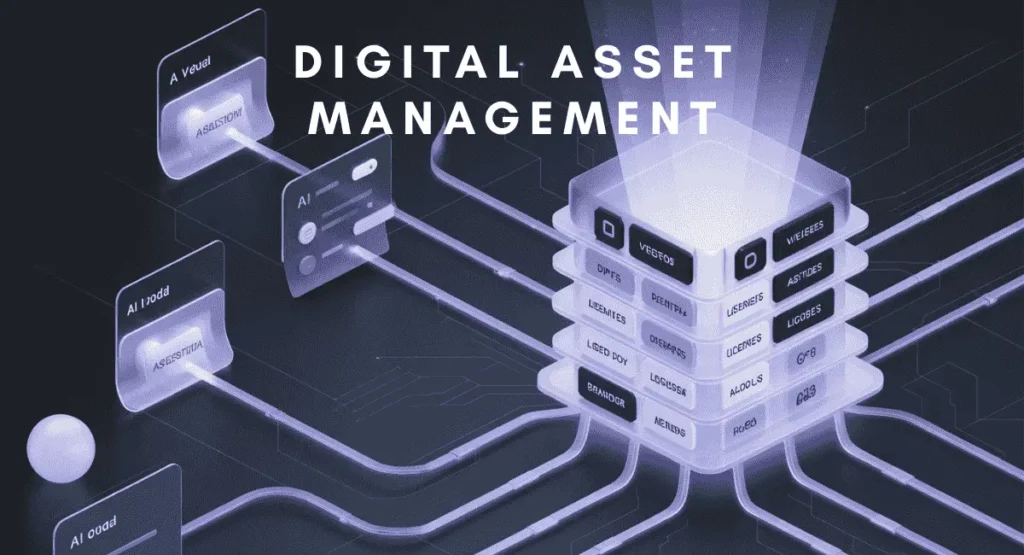
A Digital Asset Management System is the central vault for all your digital products, allowing fast retrieval, controlled distribution, and traceable modification. It’s like a digital ledger, but for virtual assets that run your company’s online presence and communication. Without it, you risk losing key data, instructions, and track over upgrades. And that’s a mess you don’t want.
Just because you can’t touch them doesn’t mean virtual productions don’t exist. They not only do, but also they cram a massive space and require special attention to remain organized and safe. The rate at which modern companies produce such intangible items is becoming untraceable with every passing day. And managing them has turned into a puzzle awaiting a solution. That’s exactly where a good digital asset management system shines.
If you need to learn about digital asset management and other essential business management tips for your team or business, this article serves. It explores its simplest definition, must-have features, and the many benefits of installing one in your workspace as an administrative assistance.
What is Digital Asset Management (DAM)?
Digital Asset Management is a virtual stockpile that lets you store digital items by categories. Managers can use it to build a virtual product lifecycle flow and manage it to reach the organizational goal and form a collaborative culture.
These tools combine all regulatory, monitoring, and version control features essential for neat upkeep, timely distribution, and fast access. From designs, messages, and media files to software, things remain at your fingertips.
Have you ever found a situation where a deadline is near, yet nobody knows at which stage of the development process the product lives? Or which hands are currently dealing with it? Another common scenario in large companies is employees hitting from one desk to another to retrieve a document. Maybe it is an instruction circulated months before, or perhaps a logo or signature design filed for later use.
The frustration is a sign that your place is still not making the most from its collective pipeline. A DAM strives to mend that breach. To better understand how, understand the three core principles it’s built on:
The Process: Systematic Content Lifecycle Management
Efficiency begins even before you click the “Create a New Project” or “Store a New File” button. With a DAM, your team first goes to the scrum board and opens the survey report. They gaze at the client brief and apply an impact effort matrix while discussing the units, direction, sequence, and work on the conveyor belt.
It also assigns to the project a space in your digital warehouse, sets the accessibility boundary for each member, and regulates archiving for security. Classifying an asset goes beyond naming and sub-classing and into meta-tagging, scheduling, and creating a tier tree.
The Technology: Centralized Software Platform
Each tiny element, from memos to daily to-dos, from failed versions to deliverables, stacks up together into one platform. Using a single source of truth Cloud storage, the resource visibility overcomes team size and location, acting as one of the essential remote team management tools for modern businesses.
To share and modify, you request access and get authority via approval. The actions you make are logged, and you can scroll through the history list from the dashboard.
Scouring files is effortless, replacing traditional static search with dynamic filtering ability. You can look for a project by name, launch date, status, keywords, tags, and metadata, thanks to the unified, well-organized heap.
The Asset: Digital Files with Business Value
The rules don’t differ between a regular file system and a DAM. But the gap becomes evident when you want to classify an item as an asset for its value in the overall business branding and revenue structure.
You can instantly locate profiling documents, brand directory, media content, noted insights from previous meetings, licenses to digital subscriptions, and tools. Revisioning saved images, videos, and the feedback streams of a deployment and drawing them onto the conference table shifts from hassle to muscle memory.
DAM vs. CMS vs. Cloud Storage: Which Solution Fits Your Needs?
DAM by design is a new storage concept often held for older Content Management Systems, like WordPress, and Cloud Storage, like Google Drive or OneDrive. But no comparison is further away from the real applications. As only one among them combines administration with compliance, one offers a publishing channel, while the other works fine as a simple doc bucket.
When You Need a DAM
A DAM comes as the perfect choice if you want:
Centralized Library for Organization
A DAM is a storing, curating, and distributing powerhouse for asset organization, mimicking the harmony of a central library through its genre and department-wise racking system, open access to registered audiences, and ensured recollection of items for reuse.
Advanced Version Control and Brand Governance
New entries, replacements, upgrades, and exits utilize a shareable logbook, eliminating surprises and conserving the creative flow. Auditable drives and folders with chronological and assignment data pave the path toward transparent manoeuvres.
Rights Management and License Tracking
Safety protocols work as a folder-lock mechanism guarding sensitive and reusable documents, such as licenses, inventory records, and reports. Operating admins can create a hierarchical cascade through role-based client selections.
When You Need a CMS Instead
A CMS doesn’t have an integrated database and requires a hosting service for storage. It gives an illusion of storage, but it lacks the freedom of choice regarding usage, format, and intent of an upload.
Website-specific Content Publishing
Every item in a CMS is added to be published on the web. The channel is solo and marked by a domain name system. The included items can only be grabbed through the integrated directory in the hosting panel, which offers basic manipulation options, like add, move, and delete.
Blog and Web Page Management
Once published, assets become a part of a web page because that’s what a CMS is. Take it for a web organizer that provides a quick solution to front-end and back-end customization.
Frontend Content Presentation
CMS scales first over thousands of pre-built add-ons and plug-ins. It’s structured to handle frontend presentations. An ability enhanced by a template-based development workspace.
When Cloud Storage is Sufficient
Cloud Storage is a cost-effective warehouse solution for digital sacks. Where it excels is file sharing, easy creation, and a folder-based ecosystem. DropBox, Google Drive, MediaFire, and Mega invite users to a like-oriented shared drive system, where basic functions are kept to uploading, downloading, and secure transactioning.
Basic File Sharing and Collaboration
The barest minimum you expect in a modern storage solution. A free tier lures you into a demo sight, charged with a small 10GB to 15GB of space. You can hoard files of all types and formats, but only a few offer on-platform file creation and modification. Collaboration features primitive role management, with ownership transfer at maximum.
Small Team Document Storage
For most Cloud Storage, a premium subscription only expands storage capacity. It doesn’t add any new compartments to what you receive for a toolbox. They only suffice for small-team operations, as users don’t get advanced category markings, smooth file transfer between folders, pinpoint progress tracking, and skimming or scraping strategies. For simultaneous viewing, the best you can do is to open folders in a personal tab or window. Otherwise, you fall into the loop of clicking back and next buttons.
No Brand Consistency Requirements
To maintain the brand stream, saving it from mix-ups and fragmentation, all marketing devices and assets should be in a dedicated place. Something you will find hard to create in Cloud Storage. From untracked access and messy formulation emerge duplicate entries, multiple versions tweaked by members with slightly different ideas and concepts. Together, they damage the purity and alignment of the brand communication.
How Modern DAM Systems Work: The 8-Step Workflow
The complex task of asset management in a dynamic work environment breaks down into a diverse set of problems that require a synchronized interaction between meticulous oversight and particular functionalities to be resolved. If done and placed well, a DAM tool will follow an 8-step work model:
Planning Desk
The creative pool where decisions well up before becoming the action stream. You identify the right story for the audience, such as the essential materials for remote onboarding, and talk about what you need to bring that story to life. Later, you may also want to put notes on the board to get deeper revelations through visual arc. In digital asset management services, you are supplied with a collective roll of threads to hook the disordered pieces and connect them to a central skeleton.
Creative Desk
The layout to capture the production phases. Briefs surfaced from the planning table enter the churning machine to create the first drafts of videos, images, and pdfs. DAM is where they are collected and prepared for reviewing and calibrating. It has a framework to support the push-pull feedback and upgrade loop. Every iteration is counted, adjustment is recorded, and insight is passed.
Role and Category Definition
Once created and stored for revision, all items need their designations. Foldering, tagging with metadata, assigning associated departments, and sorting allow content to declare roles and hierarchy to the stakeholders.
Decision Markers
The branch of the tree that secures approvals, suggestions for improvement, and other decisions. From the documented budget to memos and invoices of expenditures, acquisition conditions to contract signing, all virtual paperwork piles up here. A click-based plea and response system removes waiting time.
Access Controllers
Most assets are sensitive in one way or another, and safe stockpiling in the digital realm means hiding them from unexpected eyes and hands. Permitted access saves the day. Only a selected group of people becomes aware of the existence of a selected group of assets. How much they can do with it depends on the authority their access type offers.
Branching and Distributing
Like an efficient version controller, DAM lets users copy, move, and share assets via a multi-modal gateway. Duplication can be blocked either by following a pre-defined strategy, maintaining the hierarchical boundary, or replacing the old version with the new. For distribution, the multi-channel publication system releases users from the necessity to choose between web platforms.
Logistics
Delivery turns from the final button to press to an intermediary phase between the quality check and after-sales follow-ups. Deletion is a question that arises only after a client’s green signal. Users can still archive all resources grown along the line since the initiation. They remain near at hand, with no chance of getting lost in the chaos, and dragging them into the manufacturing mill is always one decision away.
Post-Production Analysis
Assets are as valuable as their measurable benefits, and staying informed on the latest statistics project management experts rely on can help you calculate that value through a data-driven lens. DAM stores more than raw materials and perfected products. They also give out links and lines to reel in and get to the pages and sites they are published on. You will find forms and templates to record performance, note down directives to address issues, and devise strategies to reduce criticality.
Critical DAM Features to Prioritize in 2026
The outburst of content in the digital space signals demand. And the competition between companies tells how everyone wants to stand out. In a battleground where digital assets are the strongest weapon, crafting and maintaining quality and resonance decides the winner.
Many DAMs come packed with a multitude of features to help companies reach their standard of quality. But only an insightful curation of what actually matters sets a company up for success. Here are our highlights:
AI to Predict and Assist
AI running in the background can shrink human mistakes, like missing out a few contextually relevant tags, overlooking requests, and casual filing up. Imagine having repetitive placeholders that fill themselves with reliable source material instead of delaying the process or leaving it looking ignored.
Integrations Make it Familiar
Wareframers always love to use tools they are familiar with and comfortable with. Every creative workspace appreciates having industry-defining tools, like Figma and Canva, on the sidelines. It hands over control, expands the playground. Teams don’t have to adapt or switch tools to paint their imagination and ideas on the canvas.
Nothing like Unsupported
Unsupported files don’t disappear in the add window. The inclusion range in modern digital asset management solutions is wide enough to cover most formats in all resolutions and sizes. The liberty scales even more when you want to export a file. Files convert within a compatible range to match the output type. A feature that every user, no matter what end of the development process they belong to, will be thankful to have.
Branching to Harmonize
Storage is only the foundation DAM software stands on. But their success is set by their ability to understand the needs of a versatile workplace. Authority is distributed just as a hierarchical structure demands. Every modification and movement requires approval and is intended to keep it neat and followable. When the noise clears itself, focus finds priorities without losing nerve. Version manipulation, confirmations before crucial decisions, action validations, and intuitive transitions are features to set the higher tier apart from the ordinary.
Security in Place
Digital robbery is nothing that can only happen to others. A growing inventory always catches eyes. To shield against hackers and keep assets and recognitions intact, security protocols should govern transactions, audits, and partnerships. A seamless action history, instant warnings for too many unauthorized requests, and an audit system to check shared link quality and block suspicious activity can prevent most breaches.
Why DAM Implementations Fail (And How to Avoid It)
A rightful concern, one which should be rewarded, even to be noticed. Solutions don’t work if the problem is not realized, an outcome is not envisioned, and the supportive mindset and principles are not set ahead of time. Like any other tool, Digital Asset Management tools work when you know why, when, and how to use it.
Here are some of the big whys for DAM failing in a company setting:
Using One without Knowing Why
No tool will solve a problem if the user doesn’t know what they are suffering from. A DAM tool is still like a color palette, and a beautiful landscape doesn’t just paint itself out of it. Even if it does, you must know whether you need it.
Can you get an unpublished video from the last year if you suddenly need it, or will you have to recreate it from scratch? Where are the resources you spent thousands on to complete the last project? Won’t it save thousands if recycled in a similar future project?
Taking Tools for Solutions
Tools are as good as medicines. Each one cures a specific disease. But blind intakes without a prescription can make things worse. Likewise, DAM works best when you have a solid workflow worked out with details in mind. Otherwise, you won’t still be able to find an item with a keyword that feels rather reasonable, save content from clogging the trash, and respond to upgrades with timely feedback.
Failing to Hold Hierarchical Balance
Another consequence of a weak workplace is a broken hierarchy, where boundaries are not set and followed with due sincerity. If a single responsibility is left misunderstood and performed by many, confusion grows behind the curtain as roles fail to draw a clear line. Clash follows with no party to take the blame.
Hidden Costs of DAM Migration
If your workplace has a long line of unorganized assets, it’s going to put considerable weight on your budget for introducing a digital asset management service. The further back your retrieval effort goes, the larger bundle it’s going to cost. The size of recoverable files is another key factor, as it decides how many people you will need to collect and prepare the items for uploading.
For example, if this is the first time you are installing DAM and have years of resources scattered throughout many channels, the log check, time tracing, evaluation, category sorting, and meticulous metatagging will take more than just months. Count how much you have to pay the individuals assigned to the task. The more the months to scour through, the higher the cost.
Who Needs a DAM? Industry Use Cases
Any workplace that produces a choke pile of digital content and is looking for relief. And that’s just all firms and enterprises from all industries. The office trolleys, once in fashion for carrying files and documents, have gone extinct. In the world of digital stationery, DAM sofware is what you use for trolleys, the staff who used to push them, and the register office to archive and redistribute them on approval.
Best Practices for DAM Implementation Success
Installing a DAM system is a major overhaul. It means a large part of your office responsibilities is about to be dealt with differently. The application is complicated. It takes time to adjust a giant innovation like this to your office mainframe. And like physical machinery, you must employ professionals to oversee the implementation.
Here is what we suggest:
- Ask your DAM vendor for complete documentation, expert guidance, or training to ensure proper structure and fast alignment
- Plan your interactive model first. Discuss with team members, focus on the minute details like launch preconditions, highest responsibility types, and execution flow.
- Assigning an admin. No, the application is not all hands automated, and a supervisor must be employed to handle internal management and advise stakeholders on basic usage.
- Make a prototypical framework; it will define requisites for upload and download, draft all keywords, asset types, and categorial data, and describe relations between permissions, roles, and metadata.
Wrapping Up
Having a digital Asset Management tool means you have managed half your office bottlenecks. The non-living resources now know their places and the roads to successful closure. Combine it with an effective HRMS to streamline your human resources document management, and use project management systems like TaskFino to organize and process tasks. Like, TaskFino. Together, they will just digitalize the 100% of your office management. When choosing a DAM system, explore its features to ensure that they meet your company’s needs. And prioritize the implementation of best practices to avoid remodeling and reinitiating.
Frequently asked questions
Is Google Drive considered a Digital Asset Management system?
No. Google Drive is basic cloud storage built for file sharing and simple collaboration. It lacks advanced metadata tagging, brand governance, version control, rights management, and workflow automation that define a true DAM system.
What is the Difference Between a DAM and a CMS?
A DAM stores, organizes, and distributes digital assets across any channel with full lifecycle control. A CMS like WordPress is specifically built to publish content on websites. A DAM manages assets before and beyond publishing; a CMS only handles web presentation.
Why do small businesses need a DAM?
Even small teams accumulate logos, videos, documents, and brand files quickly. Without a DAM, assets get duplicated, lost, or used inconsistently. A DAM keeps everything organized, on-brand, and retrievable — saving time and protecting brand integrity from day one.
How does AI improve digital asset management?
AI automates repetitive tasks like metadata tagging, content categorization, and duplicate detection. It reduces human error, speeds up search and retrieval, suggests relevant assets contextually, and helps teams stay organized without manual overhead at every step.
Can a DAM manage video files?
Yes. Modern DAM systems support virtually all file formats, including high-resolution video files across various sizes and codecs. Many also offer in-platform preview, format conversion on export, and version tracking specifically suited to large media productions.
How much does a DAM system cost?
Costs vary widely based on storage capacity, user count, and feature depth. Entry-level solutions can start around $100–$500/month, while enterprise platforms can run into thousands monthly. Migration costs for organizing existing assets should also be factored into the total budget.
What is metadata in digital asset management?
Metadata is descriptive information attached to an asset, including file name, creation date, author, keywords, usage rights, and category tags. It powers advanced search and filtering, making assets instantly findable without manually browsing through folders.
How long does it take to implement a DAM system?
A basic setup can take a few weeks, but full implementation, including asset migration, taxonomy building, role assignment, and team training, typically takes several months. The larger and more disorganized your existing asset library, the longer the process.
Do you need IT support to run a DAM?
Not necessarily for daily use, but initial implementation benefits greatly from IT or vendor support. Most modern DAMs are cloud-based with user-friendly dashboards. However, assigning a dedicated internal admin to manage permissions, structure, and onboarding is strongly recommended.
What happens to assets when a DAM license expires?
This depends on the vendor. Some platforms freeze access until renewal, others allow a grace export period. It’s critical to review contract terms before committing and to maintain regular backups of critical assets independent of the platform itself.
Can a DAM integrate with Adobe Creative Cloud?
Yes, most enterprise-grade DAM systems offer native or third-party integrations with Adobe Creative Cloud tools like Photoshop, Illustrator, and Premiere Pro. This allows creatives to access, upload, and version assets directly from their design environment without switching platforms.
What is the ROI of implementing a DAM system?
ROI comes from reduced time spent searching for files, fewer asset recreations, stronger brand consistency, faster campaign launches, and lower risk of licensing violations. Companies typically recover implementation costs through productivity gains and avoided rework within the first year.